Google Face Recognition: How Does It Work, and What Can’t It Do?
AI
Google Face Recognition: How Does It Work, and What Can't It Do? | Syneo
What Can Google's Facial Recognition Actually Do? An overview of the capabilities and limitations of Google Photos, Lens, and Cloud Vision, as well as GDPR and corporate risks.
face recognition, Google Photos, Google Lens, Google Cloud Vision, biometrics, GDPR, data protection, AI services, IT consulting
March 27, 2026
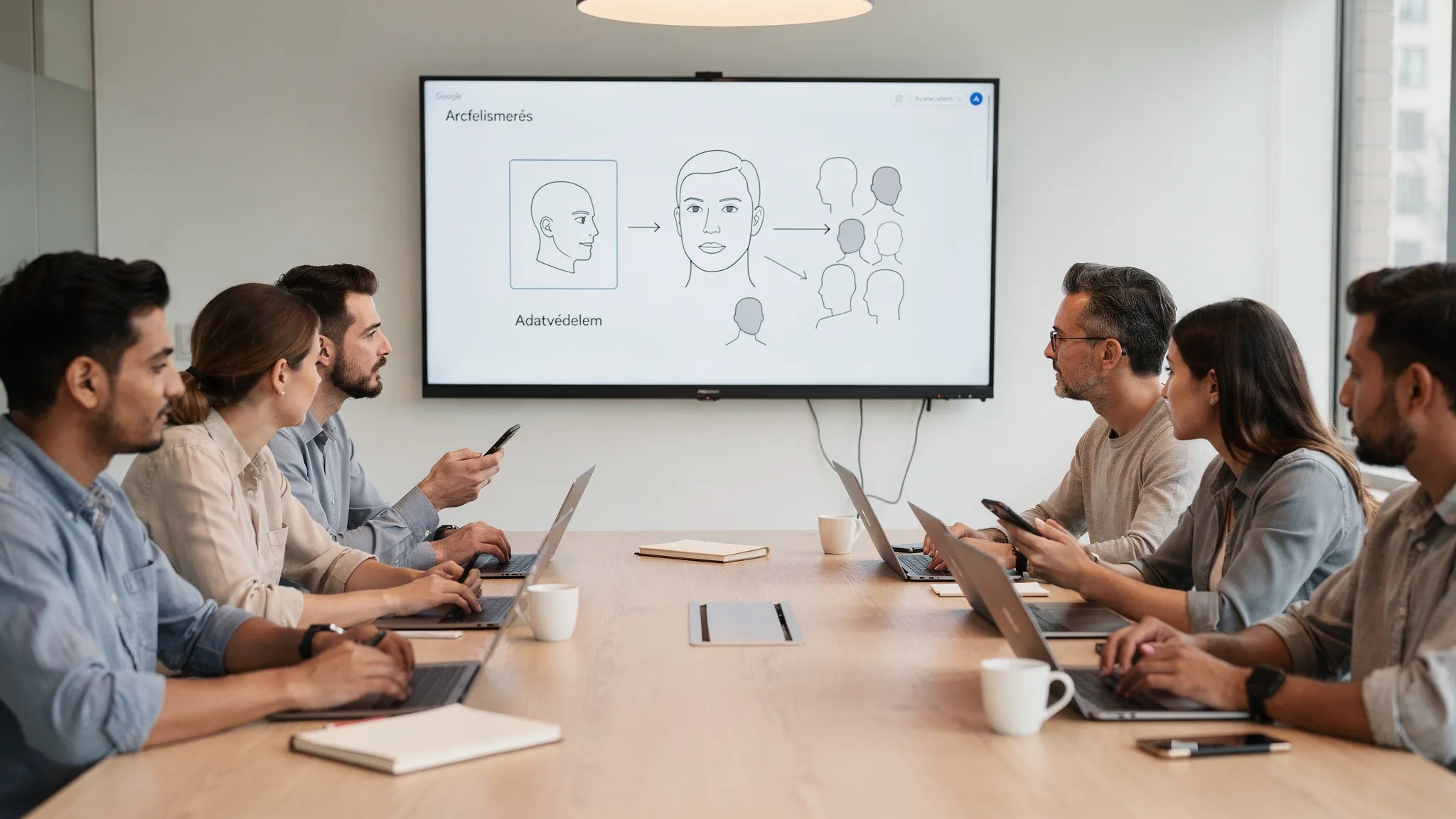
Many people search for theterm “Google face recognition”as if there were a button in Google that could “tell you who’s in the photo” based on an image. The reality is more nuanced: Google uses face detection in several of its products and, in certain situations, face-based grouping or identification, but their purpose, scope, and legal status vary greatly.
In this article, we’ll explain how Google’s facial recognition capabilities work in practice and what they’re not suited for, particularly from the perspective of corporate use and GDPR compliance.
What do people typically think of when they hear “Google Face Recognition”?
Most searches are actually for one of these:
Google Photos: Recognize, organize, and search for faces within your photo library.
Google Lens: image recognition (objects, places, text), which many people mistakenly refer to as facial recognition.
Android/Pixel Face Unlock: Unlock your device with your face.
Google Cloud Vision: face detection and facial landmarks, but not "identity verification" as a public face search tool.
The key is to distinguish between the concepts.
Face detection vs. face recognition: two distinct problems
Face detection means that the system determines whether there is a face in the image and, generally, where it is located (bounding box), or possibly identifies specific facial features (the positions of the eyes, nose, and mouth).
Face recognition can take several forms:
Verification (1:1): “Is this the same person as in the reference (enrollment) photo?” (e.g., login, account recovery, KYC).
Identification (1:N): “Who is this person among so many?” (for example, searching a database).
Search queries for “Google face recognition” often suggest a 1:N identification scenario, but Google’s consumer tools typically do not work that way and are not designed for that purpose.
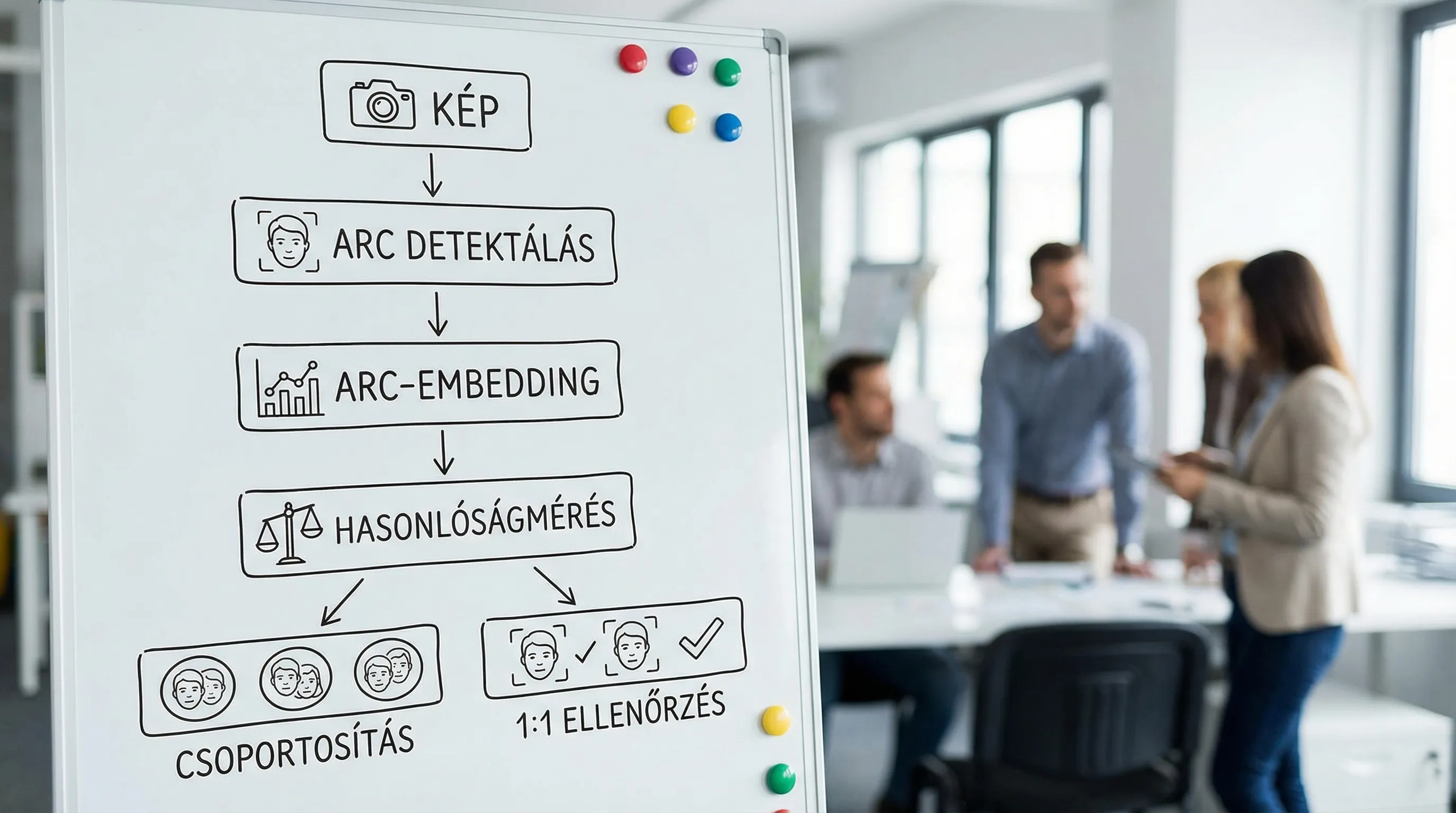
How does Google Photos' face grouping work?
One of Google Photos’ most well-known features is “face groups,” which allows you to search for terms like “mom,” “Peti,” or “the dog” and quickly find the relevant photos among your collection.
High-level operation typically looks like this:
1) Face detection in images
First, the system determines whether there is a face in the photo and where it is located. It does not yet “know” who it is.
2) Extraction of facial features (embedding)
The model creates a numerical representation of the detected face (often called an "embedding"). This vector allows two faces to be compared based on their similarity.
3) Grouping by similarity
Similar embeddings are grouped together. This is why the following may occur:
a person can be classified into several groups (based on different hairstyles, glasses, lighting conditions)
several people are grouped together (due to family resemblance or poor quality)
4) Assigning a name (by the user)
Photos doesn’t tell you “this is X.Y.” based on some “global database”; instead, you’re the one who typically names a group. From there on, the search takes place within your own photo library.
For more details on how this feature works and how to set it up, see Google's official help guide: Google Photos: Face groups.
An important limit
The Face feature in Google Photos isn't designed for you to upload photos of strangers and identify them. It's a private photo management tool, not a public face search engine.
What’s the deal with Google Lens? (And why isn’t it “face recognition”?)
Google Lens is a great tool:
text recognition (OCR)
for identifying objects and products
for recognizing places and buildings
Many people conclude from this that “it can recognize people too.” However, Lens does not typically function as a facial recognition system for identifying individuals. Rather, it is a general-purpose visual search and interpretation tool. (Official overview: Google Lens.)
Google Image Search: Why Doesn't It Show "Face Results"?
Classic Google Images and reverse image search are often confused with facial recognition.
The logic behind reverse image search typically involves:
“What similar images are there on the web?”
“Where was this photo published?”
“What is this item/brand/product?”
This is not the same as 1:N facial recognition (identity verification), even if it sometimes finds an identical or very similar portrait online. In such cases, the match does not result from “biometric identification,” but rather from visual similarity and indexing.
Google Cloud Vision: What Can It Do With Faces—and What Can't It Do?
The Google Cloud Vision API can detect faces and return features (such as facial landmarks). This can be a powerful building block:
for photo quality control
for detecting the presence of a face in document images
to prepare for anonymization processes (for example, "there's a face here; it needs to be masked")
However, this is not, in and of itself, a ready-made facial recognition system of the “search for this person in the database” type. The official documentation: Cloud Vision: Face detection.
What Can’t “Google Face Recognition” Do? Common Misconceptions
“Identifies who is in the photo” (from a public database)
Google's consumer tools (Photos, Lens, Image Search) are not designed to function as a public facial recognition system. If that is your goal, you are not actually looking for "Google facial recognition," but rather an enterprise biometric identification solution, which, however, carries significant legal and ethical risks.
“It’ll be good for tracking work hours”
Biometric authentication in the workplace generally involves high risks: hierarchical relationships, the issue of genuine consent, data minimization, access management, and incident management. Typically, this is not addressed with a feature similar to Photos, and often this is not even the best (or most secure) method.
“It’ll work for access control—we’ll just install a camera at the front desk.”
When it comes to access control, the critical component is not the demo, but the entire system:
enrollment (who, when, and with what proof)
liveness (can it be faked with a photo or video?)
FAR/FRR measurement in a real-world environment
logging, permissions, data retention
Without these, the solution typically either works poorly or is legally untenable.
Data Protection in a Nutshell: Why Is Facial Recognition Problematic in a Corporate Setting?
Biometric data is often generated in connection with the face. Under the GDPR, biometric data (when processed for the purpose of uniquely identifying an individual) is classified as special category data and may only be processed under stricter conditions. (Legal text: GDPR, Article 9.)
Common issues with corporate facial recognition include:
Legal basis: In many cases, “consent” is disputable in an employment relationship
DPIA (Data Protection Impact Assessment): often warranted, particularly in cases involving surveillance or large-scale processing
Data minimization: Is the face image/embedding really necessary, or is there a less invasive alternative?
Security: encryption, key management, RBAC, audit logs, incident management
The EU AI Act may also be relevant, particularly for use cases involving remote biometric identification and surveillance. The regulations are complex, so it is advisable to address legal and technical compliance together in such projects. (Overview and legal text on the EU website: EU AI Act.)
When is it worth considering a “Google-friendly” solution?
Sometimes Google's tools work perfectly well—you just need to choose the right one.
Okay, typical uses
Organizing your photo library (Google Photos)
Image Recognition (Google Lens)
Detecting the presence of a face in a business process (e.g., pre-screening for anonymization)
Not recommended, risky uses
"Let's use the CCTV footage to find out who it was"
continuous monitoring in the workplace
Biometric profiling of customers for convenience, without an appropriate legal basis or adequate safeguards
Quick decision guide: What do you need instead of “Google Face Recognition”?
Requirement | What many people are searching for (“Google facial recognition”) | What you really need | Comment |
Search for family members in photos | Google Photos | Google Photos | It runs within your own directory |
“Who is the person in the picture?” | Google Image Search | Corporate 1:N identification (high risk) | GDPR, AI Act, ethical risks |
Sign In / Account Security | “Some Google guy” | 1:1 verification + liveness check + audit | Separate measurement and control are required |
Anonymization (face blurring) | “Face Recognition” | Face detection | You don't need to know who that is |
Access Control | “Facial recognition camera” | Full IAM + biometric process (if at all warranted) | Alternatives are often better |
If you're planning to implement facial recognition for your business: 5 essential questions to ask before choosing a solution
What is the specific objective? (1:1 verification or 1:N identification)
What is the legal basis, and is a DPIA required?
What accuracy metrics do you use? (FAR/FRR, false acceptance rate and false rejection rate)
What types of attacks need to be defended against? (photos, videos, deepfakes, replay)
What evidence will you have in the event of an audit? (logs, policies, access records, retention records)
If you’re interested in learning more about the business side of things (accuracy, bias, legal risks), we’ve covered this topic in detail here: Facial Recognition in Your Company: Accuracy, Bias, and Legal Risks.
Frequently Asked Questions (FAQ)
Does Google have a facial recognition feature that can identify a person’s name based on a photo of them? Google does not offer a general, public “name-based” face search as a standard user feature. Google Photos organizes photos within your own library, and the reverse image search is not designed for identification purposes.
Does Google Lens recognize faces? Lens is primarily designed for interpreting image content (text, objects, locations). Face recognition for identifying individuals is not a standard Lens feature.
Does Google Photos' face grouping constitute facial recognition under the GDPR? It depends on the purpose and method of use. In a corporate setting, when biometric data is processed for identification purposes, this typically constitutes the processing of special categories of personal data, so it is advisable to consult with a data protection expert.
Can I use facial recognition for access control in an office? Technologically, it is possible, but it is complex from legal, security, and operational perspectives. Before making a decision, you must clarify the legal basis, conduct a DPIA, define accuracy targets, establish liveness requirements, and ensure auditability.
What is the difference between face detection and face recognition? Face detection simply determines whether a face is present and where it is located. Face recognition performs verification (1:1) or identification (1:N), meaning it compares and makes a determination.
Next step: if you're designing AI for facial recognition, make sure your solution is secure
If you’re considering facial recognition, access control, customer identification, or even “just” facial detection for anonymization, the greatest risk usually isn’t the model itself, but rather poorly defined use cases, a lack of measurement, and compliance issues.
The Syneo team provides IT and AI consulting services, supporting clients from clarifying requirements through pilot planning to security and data protection controls. As a first step, it’s a good idea to conduct a brief assessment to determine which technology and governance framework best suits your goals. For more information: syneo.hu.
