15 Best Website Builder Platforms in 2026 [Tested and Reviewed]
Other
Jan. 24, 2026

Choosing the right website builder platform is a crucial decision for any business. Whether you want to sell products, publish content, promote your company, or showcase your portfolio, there is an optimal solution for every purpose.
We evaluated the options available on the market through a detailed testing process. Wix has over 100 million users worldwide and offers ease of use and visual editing tools. WordPress's flexible template system provides extensive customization options. Shopify offers features specifically optimized for e-commerce.
A detailed analysis of 15 leading website builder platforms is coming in 2026. Each tool has undergone practical testing to help businesses and individual projects make the most appropriate decision.
Wix

Image Source: Outsourced Marketing
Wix is a cloud-based website builder that allows users to create professional websites without any programming knowledge. Founded in Tel Aviv in 2006, the company now has nine offices worldwide.
Key features of Wix
The central feature of Wix is its drag-and-drop editor, which simplifies the website building process. The system has hundreds of industry-specific templates, offering a suitable solution for every business sector. Mobile optimization works automatically on every page created.
Additional components of the platform:
SEO and marketing tools as built-in features
Logo generator
Automatic data backup system
Wix ADI is an intelligent design tool that builds websites based on questions.
Advantages and disadvantages of Wix
Advantages:
Easy to use for all levels of users
Comprehensive solution with hosting and domain services
Reliable customer service and professional support
Automatic system updates without maintenance
Disadvantages:
Template switching is not possible on the active website.
Platform dependency, limited migration
Basic packages include advertising inserts
Loading performance could be optimized
Limited development and customization options
Wix pricing
Wix offers free basic features, with advanced options available in paid packages. Pricing for 2026:
Light package: $17/month (basic version with Wix ads)
Core package: $27/month
Business package: $32/month
Business Elite package: $159/month
With annual payment, savings of 17-33% can be achieved compared to monthly fees.
Wix is ideal for users who
Wix is a good choice for beginners and businesses looking to establish a quick online presence. Recommended user groups:
For smaller businesses and restaurants
Portfolio pages for creative professionals
Bloggers and operators of simpler online stores
For business card-style company websites
For larger, complex websites or extensive online stores, another platform may be more suitable.
WordPress
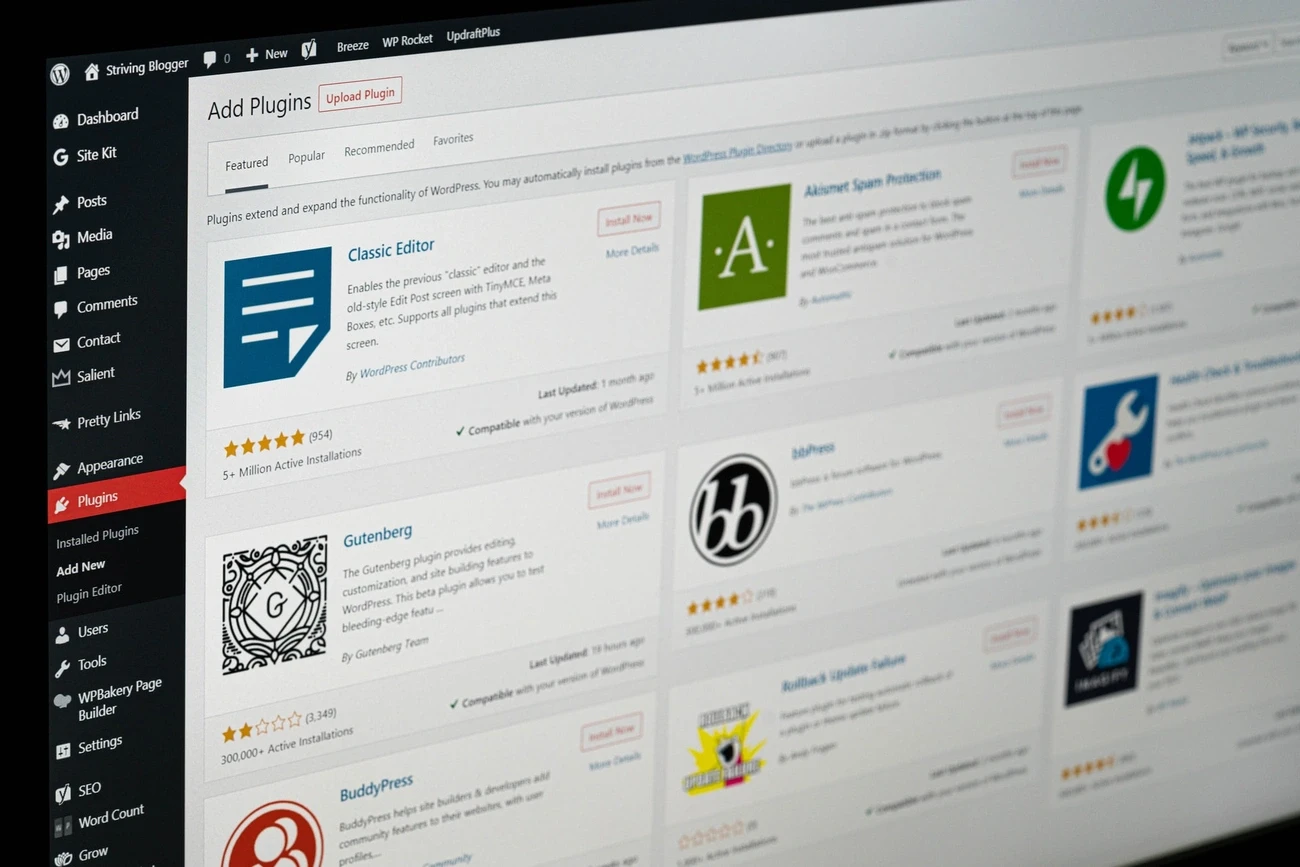
Image Source: BOARIT
WordPress is used as a content management system by 40% of online communities. The open source platform has a large user base and developer community.
Key features of WordPress
The system is available free of charge and has a modular structure. It offers outstanding possibilities for expansion. Its central elements are:
Thousands of templates for customizing your website appearance
60,000 extensions to expand functionality
Search engine optimized URL structure
Multi-level management of user permissions
WooCommerce integration for running 30% of online stores
Advantages and disadvantages of WordPress
Advantages:
User interface that beginners can master
Extensive customizability
Funds optimized for search engine optimization
Active community support
Expandability to an online store
Disadvantages:
Regular security updates are required
Impact of extensions on page load speed
Continuous maintenance requirements
Cost implications of custom developments
WordPress pricing
The basic system is free of charge, but additional services are subject to a fee:
Domain name: 2,000 HUF/year
Hosting service: 1,000-10,000 HUF/month depending on traffic
Premium templates: $30–$100 one-time or annual fee
Extensions: free - $200/year
WordPress is ideal for users who
The platform is the optimal choice:
For operating content-oriented websites and blogs
Online sales goals for small businesses
For companies planning to expand WordPress-based systems
For users requiring complete website management
For large online stores or corporate systems, it is recommended to consider specialized solutions.
Shopify
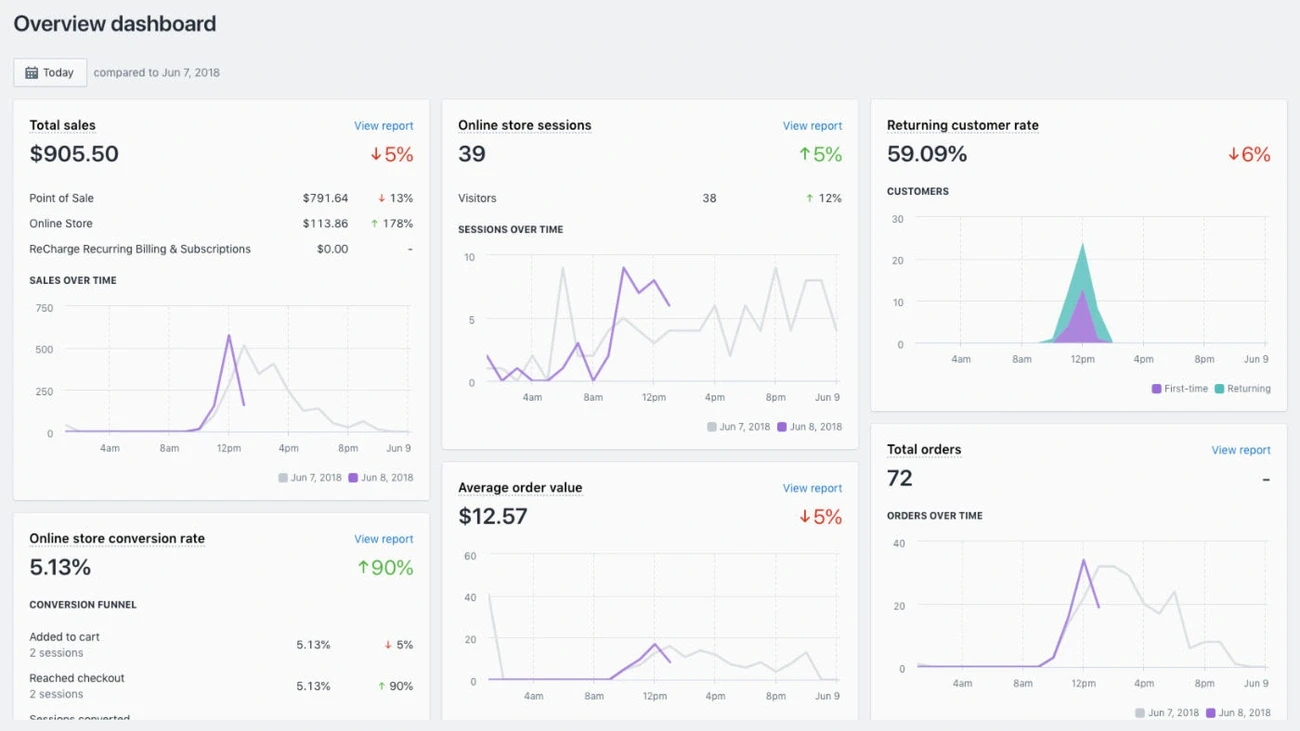
Image Source: Design By Newconcept
Shopify is a platform developed specifically for e-commerce purposes. It operates in 175 countries and has a growing user base in Hungary.
Key features of Shopify
Provides a comprehensive online store solution, from inventory management to payment systems. Basic features of the platform:
Multi-channel sales (website, social media platforms, physical stores)
Mobile business management application
Real-time traffic and sales data
Operation of a multilingual and multi-currency web store
24 of the more than 100 professional templates are available free of charge and can be used without any programming knowledge.
Shopify review
Positive aspects:
User interface requiring no technical knowledge
SSL certificates and security solutions
24/7 support in English
Structure suitable for search engine optimization
Stable hosting and automatic system updates
Limitations:
Administration in English
Sales transaction fees
Costs of extensions
Difficulties in switching platforms
Lack of Shopify Payments in Hungary
Shopify costs
Monthly subscription system:
Basic: $29 (9600 HUF) - unlimited products, two users, basic analytics
Grow: $79 (26,000 HUF) - extended reports, lower payment fees
Advanced: $299 (99,000 HUF) - detailed analyses, more favorable transaction terms
25% discount on annual payment. 3-day free trial, then $1 access for 3 months.
Shopify's target audience
Optimal choice:
For product-focused online sales
Entering the international market
Launching an online store without technical background
Simultaneous management of multiple sales channels
Less suitable for businesses with Hungarian-language administration or those targeting exclusively the domestic market.
Squarespace
Image Source: Outsourced Marketing
An all-in-one website builder that focuses primarily on visual design. It has been operating since 2003, and millions of websites have been created on the platform thanks to its user-friendly interface and professional templates.
Key features of Squarespace
The drag-and-drop editor works on the WYSIWYG (what you see is what you get) principle. The system's outstanding features:
Wide selection of award-winning, professional templates
Built-in e-commerce features for selling products and services
Unlimited storage and bandwidth with every package
SSL certificate and domain name free of charge for the first year
Automatic mobile optimization for all templates
Integrated marketing and SEO tools, with email marketing
The platform provides full website password protection or partial page locking, as well as the ability to add an unlimited number of products to the online store.
Advantages and disadvantages of Squarespace
Advantages:
Aesthetic, modern templates and customizability
Intuitive interface without programming knowledge
Complete solution: hosting, domain, security features
Excellent customer service and support
Automatic updates and a secure environment
Disadvantages:
More limited functionality customization options
Closed system, limited external integrations
Less suitable for more complex projects with special requirements
2-7% transaction fee for basic packages in e-commerce
Squarespace pricing
Packages available in 2026:
Personal package: $16 per month (with annual subscription), basic features, 2% transaction fee
Business package: $23 per month (with annual subscription), unlimited users, 0% transaction fee
Commerce Basic: $27 per month (with annual subscription), full e-commerce features
Commerce Advanced: $49 per month (with annual subscription), subscription sales, advanced shipping options
14-day free trial period for all packages, annual subscription offers significant discounts.
Squarespace is ideal for users who
Most suitable for the following user groups:
Portfolio pages for creative professionals, artists, and photographers
Businesses operating smaller online stores
Bloggers and content creators with aesthetic interface requirements
Professional website creators without programming knowledge
Less recommended for large websites or online stores requiring complex functionality.
Webflow

Image Source: YouTube
Webflow is an HTML and CSS-based visual editing platform that allows you to create professional websites without coding. The system offers a unique solution between traditional programming and template systems.
Key features of Webflow
The platform's visual front-end editor works with drag-and-drop functionality, allowing you to build your desired page in minutes. Special features:
Visual management of HTML and CSS elements without programming
Detailed customization from fonts to animations
Clean, structured code generation for search engine optimization
Built-in CMS module and web store functions
The project can be exported as HTML, CSS, and JavaScript files.
Webflow review
Strengths:
Complete design control without restrictions
Flexible CMS with custom data structures
Professional code quality and performance
Animations without JavaScript knowledge
Client-friendly editing mode
Limitations:
Basic knowledge of web design is required
Longer setup process
Higher cost structure
Difficulties in code customization
Traffic limits in basic packages
Webflow pricing system
Workspace and Website packages are available:
Free: with limited testing features
Base: 4707 HUF/month with annual payment
CMS: 6276 HUF/month, with 2000 CMS elements
Business: 14122 HUF/month, with 10,000 CMS credits
Corporate: individual pricing
E-commerce packages are available separately.
Webflow's target audience
It is primarily used by freelance web designers, design agencies, and marketing teams. Optimal choice:
Creative professionals who are willing to invest time in learning the platform
For web designers creating unique, dynamic pages
For businesses where pixel-perfect design is critical
For creators of portfolio pages and interactive projects
Weebly
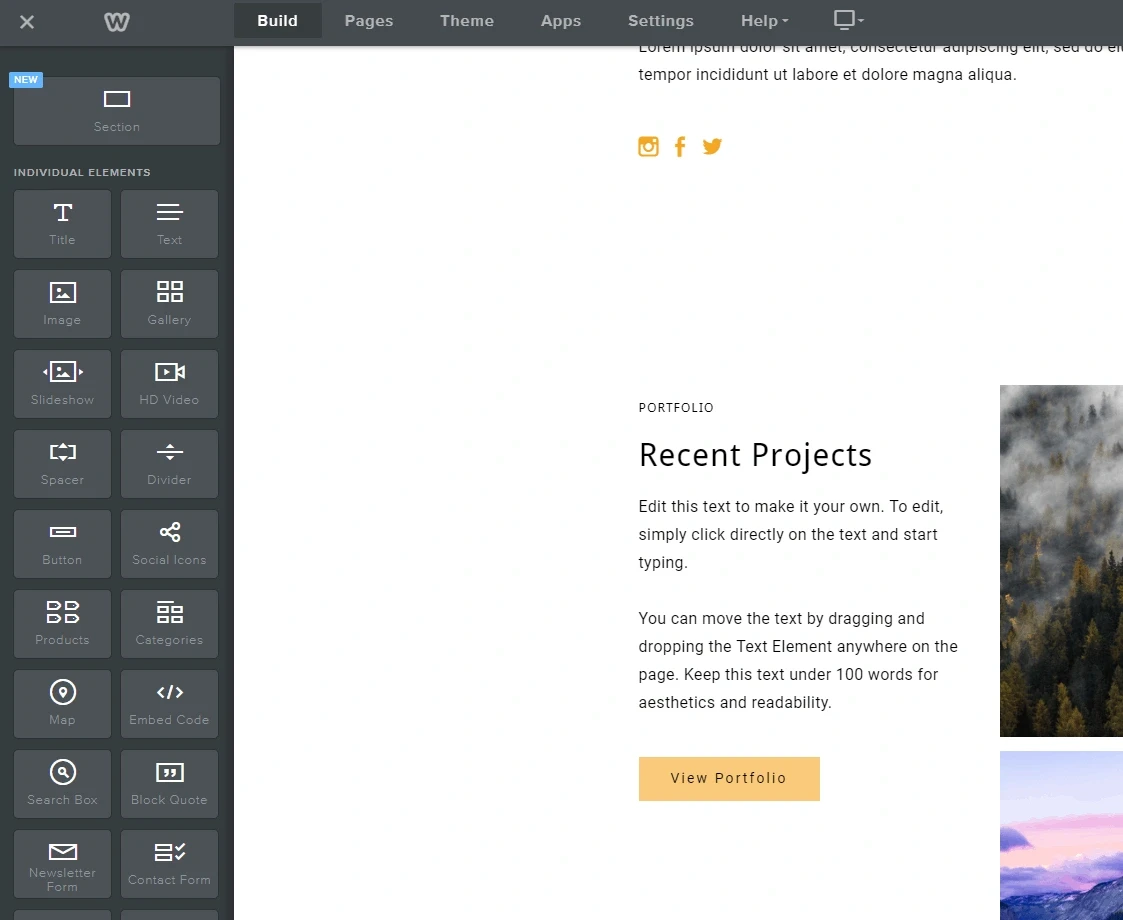
Image Source: Website Planet
Owned by Square, Weebly is a veteran player in the website builder market, with over 30 million active websites. It allows you to create professional websites without writing a single line of code.
Key features of Weebly
Its most significant strength is its clean drag-and-drop editor, which takes a simpler approach than many of its competitors. Key features:
iOS and Android mobile apps for mobile editing
App Center 360+ app for expanding functionality
Form builder and built-in analytics system
Automatic mobile optimization for all templates
SEO tools and marketing features
However, the selection of templates is more limited, with approximately 40 themes available.
Advantages and disadvantages of Weebly
Advantages:
Exceptionally fast start, website ready in less than an hour
Cost-effective solution for beginners with numerous free features
Square integration strengthens e-commerce capabilities
Offline editing mode with synchronization option
Disadvantages:
Limited customization for advanced users
Outdated template design
Lack of two-factor authentication
Slower pace of development in terms of new features
Weebly pricing
Four subscription levels will be available in 2026:
Free: $0/month, 500MB storage, Weebly ads
Personal: 3922 HUF/month (annual payment) or 5099 HUF per month
Professional: 4707 HUF/month (annual payment) or 6276 HUF per month
Performance: 10,199 HUF/month (with annual payment) or 11,376 HUF per month
Paid packages come with SSL certificates, unlimited storage space, and your own domain. E-commerce features are available from the Professional level, and advanced marketing tools are included in the Performance package.
Weebly's target audience
The optimal choice for the following users:
Beginners in website creation looking for a simple platform
Small businesses building a fast online presence
Bloggers and operators of small online stores
Users who prioritize cost-effectiveness and simplicity
Recommended primarily for those who prioritize simplicity and affordability over extensive customization options.
GoDaddy Website Builder
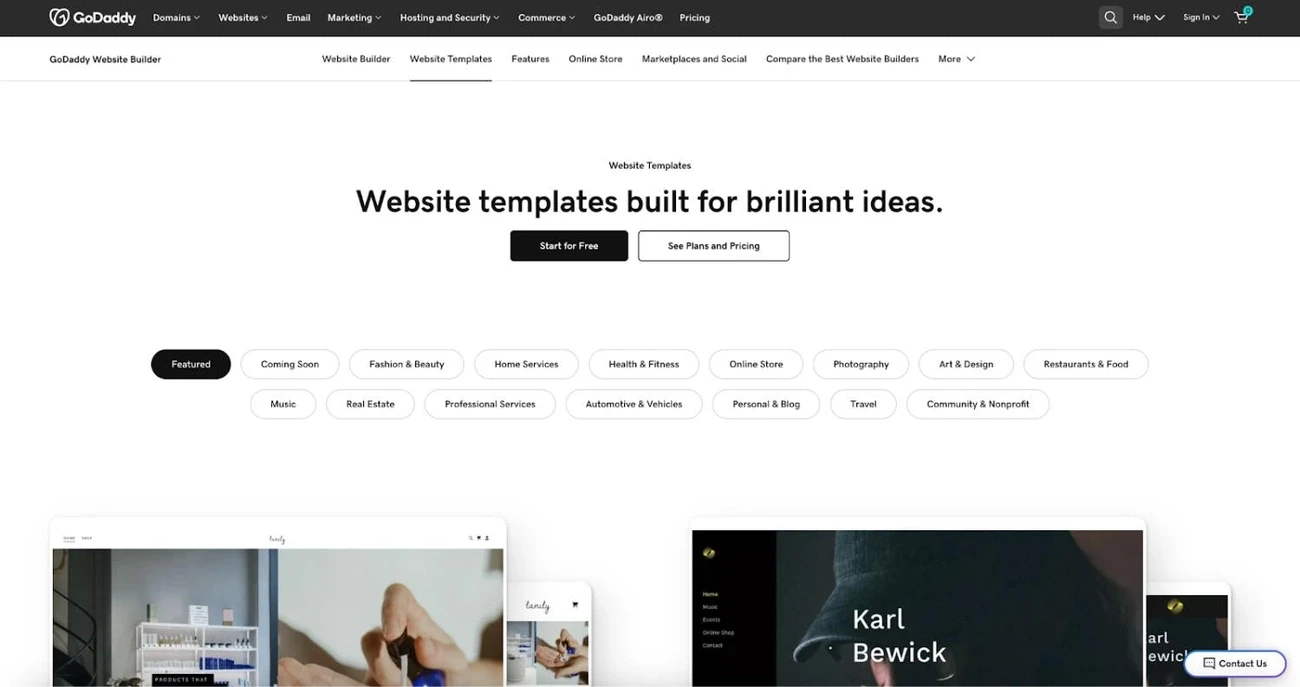
Image Source: Shopify
GoDaddy is a website builder service that has been operating since 1997 and is currently used by more than 21 million entrepreneurs worldwide. It provides a complete solution for establishing an online presence.
GoDaddy Features
The modular editing interface ensures easy handling without any programming knowledge. Entire sections can be added with just a few clicks. Main features:
AI-based design tools that generate websites in minutes based on business data
Over a thousand industry-specific templates for free
Marketing tools: email marketing and SEO wizard
Every website is automatically mobile-friendly
SSL certificate for every website automatically, daily backups stored for 30 days.
Advantages and disadvantages of GoDaddy
Advantages:
Ready-to-use interface for beginners
The basic website can be completed within an hour.
Nonstop customer service with experts
Domain, hosting, marketing in one place
Disadvantages:
Advanced customization options are limited
Hidden costs, higher renewal prices
Not optimal for complex sites
48-hour money-back guarantee only
GoDaddy Pricing
Four packages will be available in 2026:
Basic: $12.99/month (annual contract), custom domain, SEO tools
Premium: 5880.40 HUF/month, email marketing for up to 25,000 users, booking system
Commerce: 8234.12 HUF/month, unlimited product sales, discount system
Commerce Plus: $22.45/month (approx. $7,400), connection to external marketplaces
SSL certificate and hosting included in all paid packages.
GoDaddy is ideal for users who
It is primarily recommended for the following user groups:
Beginners in website creation, looking for a quick start
Small businesses, restaurants, service providers
"Do-it-yourself" users without programming knowledge
Freelancers, creative professionals with portfolios
For projects requiring complete creative freedom or complex web stores, other solutions are more appropriate.
Jimdo
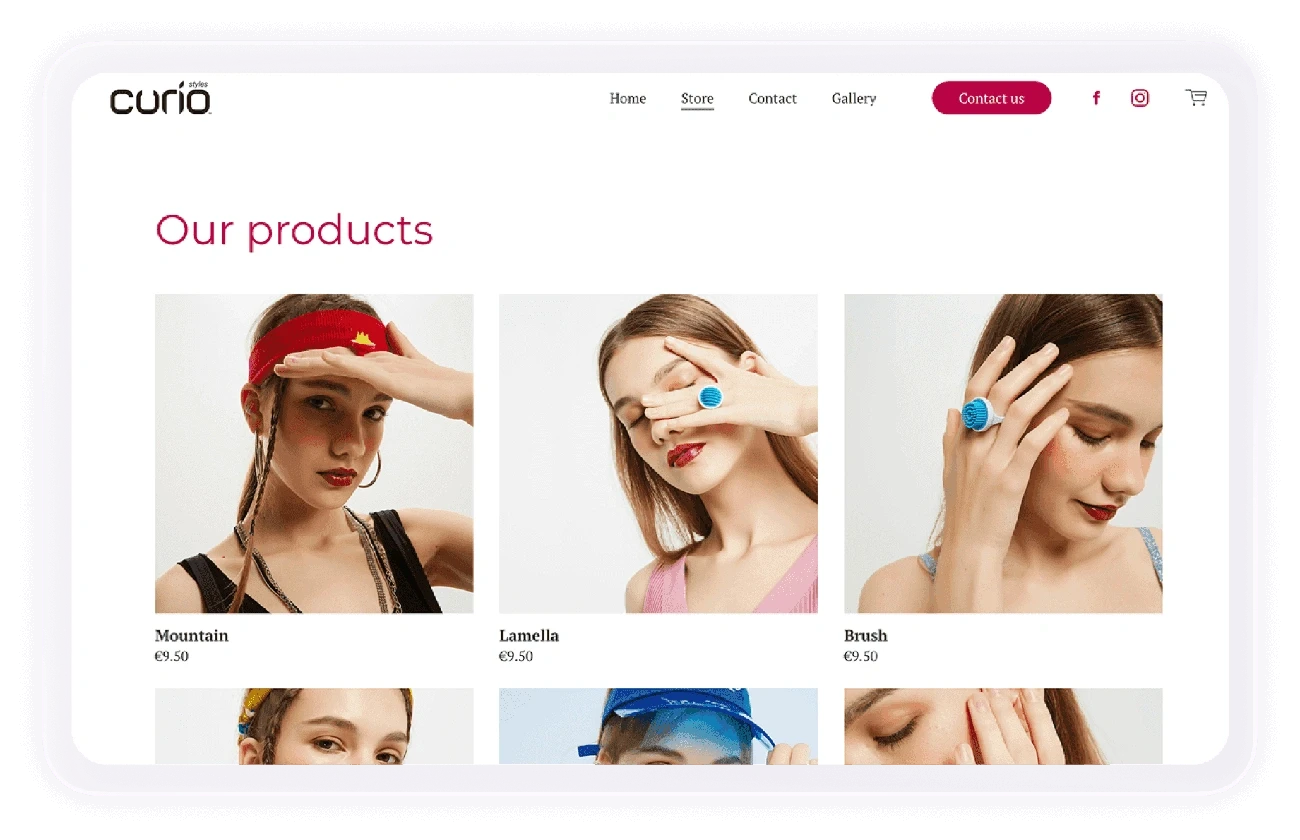
Image Source: www.jimdo.com
A German-developed solution with simple and practical features. Designed for beginners and small businesses who want a quick online presence without any programming knowledge.
Key features of Jimdo
There are two different editors available: the traditional Jimdo Creator and the AI-powered Jimdo Dolphin. Dolphin automatically creates the basics of your website in three minutes after you answer a few questions.
Key features:
Easy-to-use drag-and-drop editor
100+ industry-specific templates
Automatic SEO optimization
Mobile editing option
Reservation and appointment management system
Marketing tools
Advantages and disadvantages of Jimdo
Advantages:
Simple handling for beginners
Can be used without programming knowledge
Automatic SEO features
Clean user interface
Logo maker tool
Traffic statistics
Disadvantages:
Limited customization options
Limited selection of templates
Free version is very limited
Lack of e-commerce imports/exports
There is no blog feature in the Dolphin version.
Jimdo pricing
Packages available in 2026:
Free: basic features, limited storage space
Personal: starting price of €9 per month
E-commerce: starting price of €15 per month
VIP entrepreneur: €39 per month
Paid packages include a unique domain, email addresses, and an ad-free interface.
Jimdo is ideal for users who
Appropriate choice:
Website creation for beginners
For small businesses looking for a quick online presence
For sole proprietors and freelancers
For service providers requiring a booking system
Less suitable for larger projects with complex functionality or websites requiring complete customization.
Site123
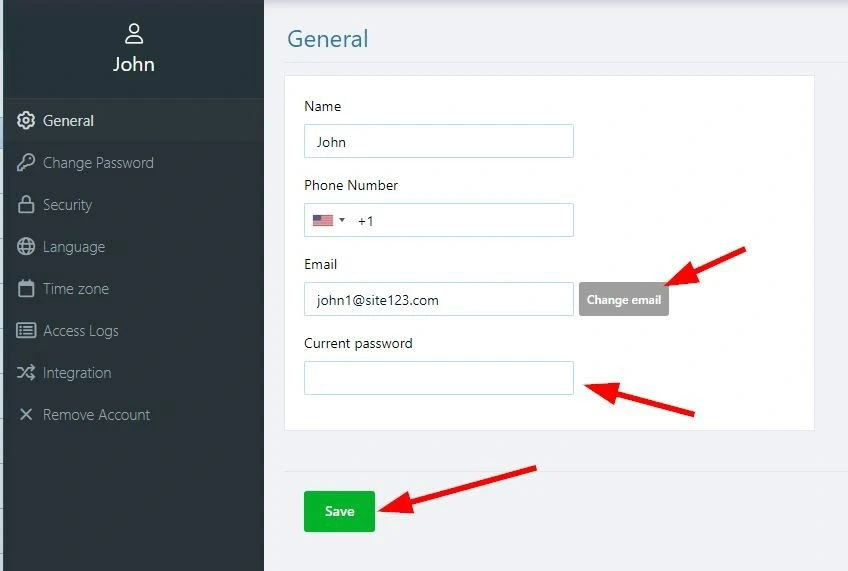
Image Source: SITE123
SITE123 is one of the fastest website launch solutions for those who want a functional website with minimal time investment. The platform's core philosophy is to achieve immediate results without technical complexity.
Key features of Site123
SITE123 offers preconfigured content structures that can be customized with just a few clicks. The editing process is much simpler than with traditional building tools—you can choose from predetermined blocks and layouts. Mobile compatibility is automatically ensured, multilingual websites can be created, and basic e-commerce features are also available.
Assessment: strengths and weaknesses
Positive aspects:
Outstanding customer service quality and availability
Record-fast website creation time
Built-in use of free stock photos
Automatic mobile optimization
Restrictions:
Limitations of design customization
Limited selection of templates
Free version platform branding
Limited flexibility even in premium packages
Pricing options
SITE123 operates with a free starter option and four paid tiers. The basic package includes 250 MB of storage with subdomain usage. The paid versions include:
Basic subscription
Advanced subscription
Professional subscription
Gold subscription
14-day money-back guarantee on all paid plans, free domain with annual subscription.
Recommended user group
SITE123 is particularly effective for beginners looking to quickly establish an online presence. It is ideal for small businesses, basic online stores, and informative company websites. It is a particularly suitable solution for users with no web design experience.
Web.com
Image Source: 0627.hu
Web.com is a website builder with decades of experience, primarily proven in the North American business environment. The platform takes a professional service approach, going beyond basic drag-and-drop editing features.
Web.com service features
Web.com offers a full range of website development services:
Professionally designed custom template system
Domain registration and management services
Email marketing solutions
Search Engine Optimization (SEO) Services
Web hosting with SSL certificate
Integration of social media platforms
The platform provides an expert support model, where Web.com's team of developers assists in creating and optimizing the website.
Web.com review
Positive characteristics:
Expert development support
Comprehensive marketing toolkit
Integrated service package
Restrictions:
Higher cost level compared to market average
Limited customization options
Less intuitive user environment
Web.com pricing
Web.com offers three service levels:
Basic package: approx. 9900 HUF/month
Standard package: approx. 14,900 HUF/month
Premium package: approx. 19,900 HUF/month
All service packages include a domain name, web hosting, and email accounts.
Web.com target audience
Web.com is particularly suitable for small businesses that:
They do not have internal web development capacity.
They require a complete service solution
They value expert support
They have complex online marketing requirements
Less suitable for hobby projects or initiatives with limited budgets.
Simvoly
Image Source: Index Forum
Simvoly represents a unique approach among website builder platforms. The system combines website creation and sales funnel building on a single platform. It provides businesses with a complete online presence in a single solution.
Key features of Simvoly
The central function of the platform is the funnel builder, which helps to effectively convert visitors. Its main components are:
200+ modern, responsive templates for websites and sales processes
CRM system for managing relationships and activities
Email marketing and automation tools
Reservation system with multiple operators
AI assistant for content generation
Quiz and survey creator for conversion optimization
Advantages and disadvantages of Simvoly
Advantages:
Simple drag-and-drop editor
A/B testing features
Transaction-free e-commerce
White label solutions for agencies
Disadvantages:
No free package, 14-day trial version
Less well known on the market
Limited external widgets
Preliminary results of Magic Website Wizard
Simvoly pricing
Four packages will be available in 2026:
Starter: $24.99/month (annual: $14.99), one website, 20GB traffic
Business: 14,122 HUF/month (annual: 11,376 HUF), unlimited pages, 60GB
Premium: 19,222 HUF/month (annual: 15,299 HUF), 100GB traffic
Elite: $129.99/month (annual: $129.99), 5 websites, 200GB
Simvoly is ideal for users who
The platform is primarily suitable for:
For sales-oriented small businesses
For white label projects of marketing agencies
For freelance web designers and developers
For entrepreneurs interested in conversion optimization
BigCommerce
Image Source: Forward Email
BigCommerce is unique in that it comes with a wide range of built-in features, often eliminating the need to install external applications. This SaaS e-commerce solution serves more than 46,000 active online stores worldwide.
Key features of BigCommerce
The platform's strength lies in its rich basic functionality:
Real-time shipping cost calculator
Product filtering with faceted search technology
Customer groups with individual pricing
Automatic recovery of abandoned baskets
Direct integration with Google Shopping
Multi-store operation on a single platform
The app-agnostic structure of the system provides freedom in choosing payment gateways, CRM systems, and marketing tools.
Advantages and disadvantages of BigCommerce
Advantages:
No transaction fees for payment service providers
Excellent scalability with increasing traffic
Strong API support and headless commerce capabilities
Disadvantages:
Automatic package change when revenue limits are reached
Steeper learning curve for beginners
Fewer third-party applications available
BigCommerce pricing
There are four main subscription levels available:
Standard: $39/month (approx. 11,749 HUF), annual income limit: 19.6 million HUF
Plus: $105/month (approx. 31,363 HUF), annual income limit: 58.8 million HUF
Pro: $399/month (approx. 117,667 HUF), annual revenue limit: 156.9 million HUF
Enterprise: Custom pricing
The packages operate without transaction fees, and credit card payments start at 2.59%.
BigCommerce is ideal for users who
The platform is the optimal choice:
For businesses engaged in B2B and B2C sales
For companies engaged in multi-channel commerce
For teams with a background in web development
For businesses preparing for growth and international expansion
Duda

Image Source: wowslider.com
Duda is a platform developed for agencies and web designers that uses AI-based tools to help create professional websites.
Main features of Duda
The platform's user interface allows you to work quickly with easy-to-use elements. All templates automatically provide a responsive display on different devices. Color schemes and fonts can be modified with simple customization options. Additional features:
SEO tools to improve search results
Teamwork features for project sharing
Stable loading speed with safety features
Support for multilingual websites
Advantages and disadvantages of Duda
Advantages:
CSS Grid and Flexbox support with complete editing freedom
Direct editing of HTML and CSS code for advanced users
Professional support and training materials
Disadvantages:
Complex interface that requires learning time
There may be delays in loading speed
Template customization may be limited
Duda pricing
The platform will offer four packages in 2026:
Basic: 7453 HUF/month with monthly billing, 5492 HUF/month with annual subscription
Team: 11376 HUF/month with monthly billing, 6472 HUF/month with annual subscription
Agency: 23,144 HUF/month with monthly billing, 17,260 HUF/month with annual subscription
Unique: personalized pricing
Duda's target group
Freelance web designers and digital agencies primarily use it for client projects. For SaaS companies, it results in 25% lower customer churn and 29% higher revenue. It is less suitable for those looking for email marketing features, as it does not have a built-in newsletter system.
Elementor
Image Source: Outsourced Marketing
The Elementor WordPress plugin supports the operation of 18 million websites worldwide. It is a visual editing tool designed for WordPress-based systems that complements the basic content management functions.
Key features of Elementor
The central element of the platform is the visual editing interface, where the page can be built using elements that can be dragged from the toolbar on the left. Changes are displayed in real time, with the option to undo each step. A preview optimized for different device sizes ensures the correct display.
The basic version comes with 40-50 widgets free of charge, while the Pro version includes complete theme builder features.
Advantages of Elementor
The system offers quick learning curve for beginners. Basic features are available for free for smaller projects. Pro subscription starts at $49 per year for one website. Extensive customization options without programming. Optimized performance and clean code generation.
Elementor is ideal for users who
A good choice for owners of WordPress-based websites. Particularly useful for:
Visual enhancement of existing WordPress systems
Quick prototyping without design knowledge
A cost-effective solution for smaller projects
For users who want to retain the benefits of WordPress with visual editing
Platform Comparison
To make your decision easier, we have summarized the features and pricing of the main platforms. This table will help you choose the solution that best suits your business needs.
Platform | Starting price/month | Main target group | Key benefits | Key disadvantages | Key features |
Wix | 17 USD | Start-ups, small businesses | - User-friendly interface | - Cannot change topics | - Drag-and-drop editor |
WordPress | Free (+ storage costs) | Content-oriented websites, small businesses | - High degree of flexibility | - Security risks | - 60,000 extensions |
Shopify | 29 USD | Online retailers | - User-friendly interface | - Admin interface in English | - Multi-channel sales |
Squarespace | 16 USD | Creative professionals, bloggers | - Aesthetic templates | - Limited customization | - Drag-and-drop editor |
Webflow | 4707 HUF | Web designers, agencies | - Unparalleled design freedom | - Steep learning curve | - Visual HTML/CSS editor |
(The table continues with the following platforms, but detailed information was not always available in the original text.)
FAQ
Q1. Which website builder platform is best for beginners? Wix and Weebly are excellent choices for beginners. Both have intuitive drag-and-drop interfaces and require no programming knowledge. Wix is particularly user-friendly and has great customer support.
Q2. Which platform is best for creating e-commerce websites? Shopify is one of the best choices for creating e-commerce websites. It specializes in creating and operating online stores, with built-in security features and multi-channel sales capabilities.
Q3. Which website builder offers the most customization options? WordPress offers the most flexibility and customization options. There are thousands of free and paid templates available, as well as nearly 60,000 plugins that can be used to add almost any feature to your website.
Q4. Are there any website builders that are free to use? Yes, several platforms offer free versions, such as Wix, WordPress, and Weebly. However, these are usually limited in functionality and often contain advertisements. The basic WordPress system is completely free, but you have to purchase hosting and a domain name separately.
Q5. Which website builder is best suited for professional web designers? Webflow and Elementor are excellent choices for professional web designers. Webflow offers unparalleled design freedom and professional code quality, while Elementor provides extensive customization and design freedom without coding within the WordPress ecosystem.
