What Can Pi Do? Home AI Projects with Raspberry Pi 5
AI
Jan. 27, 2026
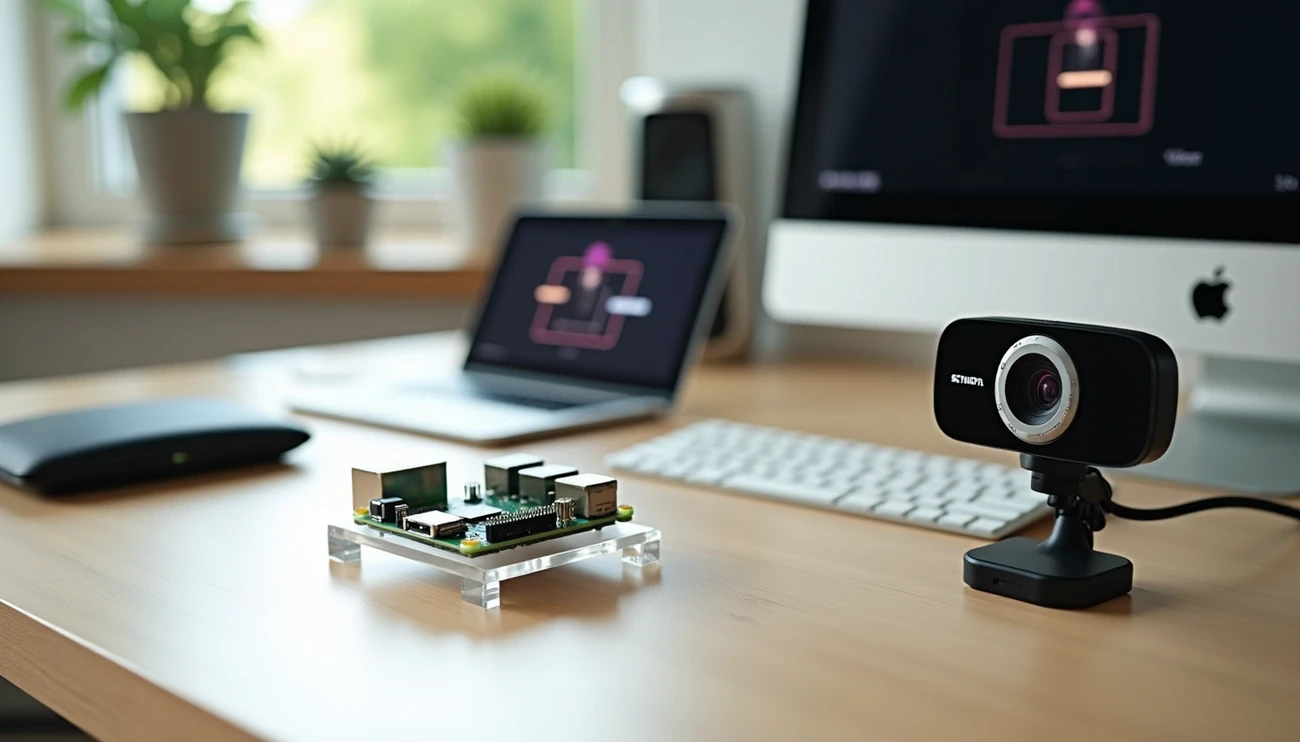
Pi Day is a great opportunity to see what small computers have to offer today. Using the Raspberry Pi 5 and the new AI HAT+ 2 module together takes home artificial intelligence projects to a whole new level.
The AI HAT+ 2 module offers 40 TOPS of computing power, a significant increase over the 26 TOPS offered by its predecessor. The module contains 8 GB of memory, which is used by the Hailo-10H neural accelerator [-4]. This accelerator is specifically designed for the efficient operation of neural networks. The Raspberry Pi 5 is also available with a $70 AI Kit, which provides 13 TOPS of performance with a Hailo-8L accelerator.
The Raspberry Pi is suitable for AI tasks due to its low power consumption and Linux compatibility. Previous generations focused mainly on machine vision, but now, with the help of neural acceleration, generative AI models (LLM/VLM) can also be run.
In this article, we will show you how to build various AI projects with the Raspberry Pi 5. We will cover all the important areas, from the hardware basics to specific applications.
Raspberry Pi 5 hardware basics for AI projects
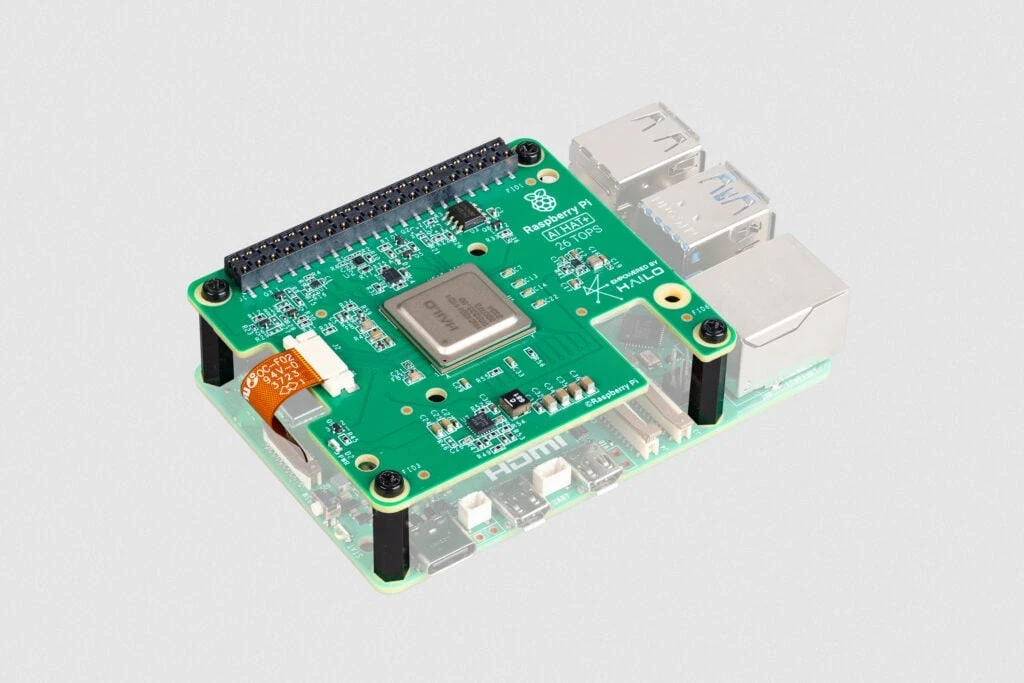
Image Source: Raspberry Pi
The Raspberry Pi 5 fundamentally changes the approach to home AI projects. The Broadcom BCM2712 quad-core Arm Cortex A76 processor, operating at 2.4 GHz, delivers a threefold increase in performance compared to the previous generation. With the improvement of the RP1 "southbridge" chip, there has also been a significant improvement in peripheral performance and functionality.
The role of GPIO and PCIe connectors in AI modules
The introduction of the PCIe 2.0 x1 interface is a key innovation, with a maximum transfer capacity of 500 MB/s. The connector is in a flat-flex form, not a traditional PCIe slot design. AI accelerators such as the Hailo-8L NPU use this high-speed connection, which significantly improves the speed of artificial intelligence operations.
The 40-pin GPIO header continues to play a central role in the integration of AI modules. It provides EEPROM identification via I2C0 connectors and a stable power supply for AI HATs. Although the physical presence of the HAT obscures the GPIO pins, this problem can be solved with extra-long GPIO headers.
Raspberry Pi 5 and HAT+ compatibility
AI HAT+ cards contain a Hailo neural processing unit connected to the Pi 5 PCIe port. The system automatically detects AI HAT+ or AI HAT+ 2 modules when connected. AI HAT+ is available in 13 and 26 TOPS versions, while AI HAT+ 2 is available with 40 TOPS performance.
M.2 HAT+ and M.2 HAT+ Compact modules enable the use of M.2 standard devices, including NVMe drives. They operate according to the HAT+ standard and are automatically recognized by the latest Raspberry Pi software.
Energy efficiency and cooling considerations
The Raspberry Pi 5 is more efficient under the same load, but maximum power consumption increases to 12W compared to the Pi 4's previous 8W. AI applications place a heavy load on the device, so the use of active cooling is justified.
Active Cooler, a single-piece anodized aluminum heat sink with fan, provides the right solution. The fan operates according to temperature: it starts at 60°C, accelerates at 67.5°C, and runs at maximum speed at 75°C. HATs can be mounted above the Active Cooler with 16 mm GPIO extenders.
AI HAT+ 2 comes with a separate cooling plate that must be placed on top of the HAT to prevent overheating.
AI accelerators and software environment for Raspberry Pi 5
AI accelerators enable the Raspberry Pi 5 to efficiently handle artificial intelligence tasks. These specialized processors take the load off the main CPU while significantly speeding up AI models.
Comparison of Hailo-8L and Hailo-10H NPU modules
Hailo NPU (Neural Processing Unit) modules cover different performance categories. The AI HAT+ is available with Hailo-8L (13 TOPS) and Hailo-8 (26 TOPS) accelerators, both of which perform INT8 precision calculations. The AI HAT+ 2, on the other hand, features a Hailo-10H accelerator with 40 TOPS performance at INT4 precision.
There are also differences between the models in terms of memory management. AI HAT+ uses the Pi's system memory, while AI HAT+ 2 works with its own 8GB of dedicated memory. This allows larger models to be run, including support for LLM (Large Language Models) and VLM (Vision-Language Models).
Raspberry Pi OS support for AI HAT+ module
The latest Raspberry Pi OS recognizes AI HAT+ and AI HAT+ 2 cards and automatically uses them for supported tasks. Camera applications (rpicam-apps and Picamera2) directly leverage the power of the Hailo NPU for image recognition and object detection.
Installing the hailo-all and raspberrypi-ai-apps packages
To use AI HAT+ or AI Kit, you must install the appropriate software components:
sudo apt install dkms
sudo apt install hailo-all
For AI HAT+ 2, you need the hailo-h10-all package. For the Hailo application infrastructure, you need to clone the Github repository:
git clone https://github.com/hailo-ai/hailo-apps-infra.git
cd hailo-apps-infra
sudo ./scripts/cleanup_installation.sh
sudo ./install.sh
This installs the Hailo kernel driver, firmware, middleware software, and demo applications.
Enable PCIe Gen 3 for performance optimization
The Raspberry Pi 5's PCIe port runs at Gen 2.0 (5 GT/s) speed by default. By activating Gen 3.0 (8 GT/s), performance can be nearly doubled. The /boot/firmware/config.txt You must enter these lines into the file:
dtparam=pciex1
dtparam=pciex1_gen=3
The speed increase is spectacular: 10G network cards achieve 6 Gbps instead of 3.5 Gbps, and NVMe SSDs achieve 900 MB/s read speeds instead of 450 MB/s. With AI HAT+ 2, this is set automatically, but when using AI Kit, it must be activated manually.
Home AI projects with Raspberry Pi 5
The Raspberry Pi 5 makes projects possible at home that previously only worked on expensive hardware.
Object recognition with camera using YOLO model
The YOLOv8 model identifies objects in real time at a speed of 30 frames per second. To install it, you need the Ultralytics YOLO package, and then you need to export the model to NCNN format—this provides the best performance on ARM processors. The camera connects to the Pi CSI port.
Using Whisper ASR for voice control
OpenAI's Whisper model performs speech recognition on the Pi 5. The tiny.en version processes 10 seconds of audio in 6 seconds, allowing for the creation of real-time applications. With the Porcupine wake word engine, the system automatically responds to command words.
Running LLM chatbot locally: Llama-3.2-3B
Smaller language models can be run on Pi 5. The Llama-3.2-3B-Instruct (Q4_K_M) variant achieves a speed of 4-6 tokens/second, which is sufficient for chatbots. Installing the Ollama framework:
curl -fsSL https://ollama.com/install.sh | sh
ollama pull llama3.2:3b
Launching the chatbot: ollama run llama3.2:3b.
Smart home automation with Home Assistant integration
The Home Assistant operating system can be installed directly with Raspberry Pi Imager. This provides centralized control for smart home devices. The Pi 5 has enough power to run complex automations while consuming little energy.
NAS and backup with Raspberry Pi
By connecting an external hard drive, the Pi can be turned into a NAS server. After installing Samba, files can be accessed from any device via the network. NVMe support eliminates the reliability issues of SD cards.
Building a multimedia center with Kodi
A media center can be created by installing LibreELEC or OSMC. Kodi manages local media files and streaming content, building a media library with metadata. The Pi 5 plays 4K content without any problems.
Edge AI and data protection in the home environment
Edge AI technology opens up new possibilities for home data security with the Raspberry Pi 5. Local processing offers practical advantages over cloud-based systems.
Local data processing: low latency and security
The AI HAT+ and AI HAT+ 2 modules perform all AI processing directly on the device, ensuring data privacy and security. Local data processing eliminates the delay associated with sending data to remote data centers. This is critical for applications where fast response times are important, such as voice control or security systems.
Local processing reduces the risk of cyberattacks, as data does not leave the local network. With smart home assistants, even simple tasks—turning on lights, adjusting the thermostat—are fully protected.
Reducing cloud API costs with local inference
Cloud-based AI services use a subscription model. More usage means higher costs. This poses a business problem: more successful AI implementation results in more expensive operation. Example:
Cloud AI: HUF 784,575/month initially, HUF 7,845,759+/month in case of growth
Offline AI: HUF 3,922,879 initial investment, HUF 78,457/month maintenance
Payback period: 6-8 months, followed by unlimited savings
Advantages of offline operation: data protection and reliability
With offline AI, sensitive data—whether personal, financial, or business—remains within your own infrastructure. Offline LLMs offer complete customization for specific business tasks.
The Raspberry Pi 5 ARM processor allows the DeepSeek model to operate at a speed of 9.58 tokens/second, providing a suitable offline AI environment. There is no need to worry about cloud outages, API restrictions, or service disruptions. These systems continue to operate smoothly even in the event of network outages.
Conclusion
The Raspberry Pi 5 and AI HAT+ modules truly open up new possibilities for home AI projects. These solutions were previously only available on expensive, professional hardware. The 40 TOPS performance and 8 GB of memory are sufficient to run generative AI models. PCIe Gen 3 support adds additional speed for complex applications.
We tried out several projects—camera-based object recognition, a local LLM chatbot, smart home automation. All of them worked well and proved that performance and energy efficiency no longer work against each other in these small machines.
Local AI processing is perhaps the biggest advantage. Data stays at home, protecting privacy and reducing cloud service costs. The Pi 5 works without the internet, so network problems don't interfere with work.
The Raspberry Pi community is constantly developing AI capabilities. From hobby projects to prototype development, the Pi 5 can be used in many areas. Pi Day is a good opportunity to realize how this little computer makes advanced technologies accessible to everyone.
Frequently Asked Questions
Q1. How does the Raspberry Pi 5 perform for AI projects? The Raspberry Pi 5 is three times faster than the previous generation and can achieve up to 40 TOPS of computing power with the AI HAT+ 2 module, enabling it to run complex AI models.
Q2. How can object recognition be implemented with Raspberry Pi 5? Using the YOLOv8 model, Raspberry Pi 5 is capable of real-time object recognition at up to 30 frames per second. To do this, you need to install the Ultralytics YOLO package and connect a camera module.
Q3. Is it possible to run language models on Raspberry Pi 5? Yes, Raspberry Pi 5 is capable of running smaller language models. For example, the Llama-3.2-3B-Instruct model runs at a speed of 4-6 tokens/second, which is sufficient for creating simple chatbots.
Q4. What are the advantages of edge AI in a home environment? Edge AI technology enables local data processing, which increases data privacy, reduces latency, and lowers the cost of cloud services. It also enables offline operation, which increases reliability.
Q5. How can I turn my Raspberry Pi 5 into a smart home hub? By installing the Home Assistant operating system, you can turn your Raspberry Pi 5 into a smart home hub. This allows you to centrally control a number of smart devices and manage complex automations while remaining energy efficient.
