CRM implementation checklist: data, processes, training
CRM
CRM implementation checklist: data, processes, training | Syneo
Practical CRM implementation checklist: data modeling and migration, process definitions, and role-based training — what to look out for before go-live and during the first 30 days.
CRM, CRM implementation, data quality, data migration, integration, training, adoption, lead management, IT consulting, project management
February 15, 2026

A CRM implementation most often fails when the organization treats it as a "software project," when in fact it is a data, process, and change management project. Choosing the right license and interface is important, but success (and a quick return on investment) depends on whether you organize your data, clarify operations, and train your team on how to use it properly.
The CRM implementation checklist below is specifically based on these three pillars: data, process, and training. Use it for internal project launches, supplier selection, or to check whether an ongoing implementation is heading in the right direction.
Who is this checklist for?
SME and mid-market executives who will be implementing or replacing CRM in 2026
Sales, marketing, and customer service managers (who are responsible for day-to-day operations)
For project managers and IT managers (integration, authorization, data protection)
If you are still wondering "why do I need CRM at all?", it is worth reading this background material first: Why do businesses fail without a CRM system?
Quick self-check for CRM implementation (1 page)
We have compiled the table below so that you can run through it in 10 minutes before a project meeting and see where the greatest risks lie.
Area | Verification question | The output you are looking for | Typical owner |
Data | Do we know what the "single source of truth" will be in customer data? | Master data rules, owners | Sales Ops, IT, DPO |
Data | Is the field map ready (old system/Excel → new CRM)? | Field mapping document | CRM admin, integrator |
Data | Are there rules for deduplication and data quality? | Dupe rules, validations, mandatory fields | Sales Operations |
Process | Is the pipeline defined (stages, exit conditions)? | Pipeline definition, stage policy | Sales Manager |
Process | What tasks arise from a lead? | Lead routing, SLA, responsibilities | Sales + Marketing |
Process | Are the minimum integrations (ERP, email, web form) in place? | Integration plan, data flows | IT |
Training | Is there a role-based training plan and a "super user" network? | Training plan, designated champions | HR, Sales Ops |
Training | Did we measure whether they actually use it (not just log in)? | Adoption KPIs, dashboards | Project Manager |
Go-live | Is there a go-live checklist and rollback plan? | Cutover plan, risk list | IT + supplier |
Aftercare | Is there a 30-day "hypercare" and development backlog? | Hypercare rhythm, backlog | Product owner |
Step 0: Clarify your goal before configuring anything
The first item on the CRM implementation checklist is not technical.
What is your most important business goal for the next 90 days? (e.g., faster lead response time, transparent pipeline, fewer lost inquiries)
Which 1–3 KPIs will prove success? (e.g., first response time, quote turnaround time, conversion between stages)
Who should actively support change as leaders? (usually sales managers, customer service managers, executives)
CRM typically involves multiple teams, so goals and concepts must be shared, otherwise the same field will have different meanings in sales and customer service, and data will quickly deteriorate.
1) Data checklist: without which CRM is unusable
The value of CRM comes from data, but in most implementations, data is handled late and hastily. Therefore, it is worth thinking of the data pillar as a "product" (owner, rules, quality measurement, continuous maintenance).
Data sources and data model
Questions that must be clearly resolved before go-live:
What counts as a customer: company, site, contact person, billing unit?
Which is the leading record: CRM, ERP, website form, email system?
What objects do you use: lead, account, contact, opportunity, ticket, quote?
A good data model is not necessarily complex, but it is consistent. If no decision is made, you will pay for it many times over later during integration and reporting.
Field mapping and migration
Migration does not begin with the export-import button, but with clarifying fields and reports.
Recommended outputs:
Field mapping document (old field → new field, type, mandatory, validation)
"We are not migrating" list (why not, where will it be instead)
Rule of historical data (how much of the past do you bring over, and why)
Tip: if you use Excel a lot, first decide what role Excel played. Data storage? Process control? Reporting? Only then can you replace it wisely.
Data quality: deduplication, mandatory fields, validations
Without these, CRM quickly becomes nothing more than a more colorful version of Excel.
Deduplication rules (e.g., based on tax number, domain, email)
Required fields by role (different for sales, different for customer service)
Format and value set (e.g., country codes, industry list, statuses)
Responsibility for data updates (who corrects them, within what time frame)
The goal is not to have every field filled in at all times, but rather to ensure that the fields necessary for decision-making and automation are reliable.
Authorization, data protection, auditability
Personal data is likely to appear in CRM (name, email, phone number, communication history). Therefore, the following should be included in the implementation:
Role-based access (who can view, edit, export)
Logging and auditing (especially for mass exports)
Data retention rules and deletion process
It is advisable to interpret the official text of the GDPR together with your legal and data protection officer: GDPR (EU 2016/679)
2) Process checklist: CRM does not operate on a "it will develop" basis
CRM becomes a real productivity tool when the team understands what "proper operation" means. This does not require an 80-page manual, but rather a few key decisions.
Sales pipeline: stages and exit conditions
One of the most common mistakes is that the pipeline stages are named, but there is no definition for them. For example, what makes a lead "qualified"?
The minimum that is worth writing down for each section:
When will it enter this phase?
What is the next mandatory step?
What are the exit conditions (what information is required)?
What counts as a loss and why?
If you don't record this, management reports (forecasts, conversions) will be distorted, and the team will quickly lose confidence in the CRM.
Lead management: routing, SLA, feedback to marketing
One of the fastest returns on investment in CRM is reduced lead response time and clarification of responsibilities.
Check:
What happens to incoming inquiries (web form, email, campaign)?
Who gets it, and based on what rules? (region, industry, area, capacity)
How soon should you get in touch? (SLA)
How does the information get back to marketing about whether the lead was good?
Customer service processes (if managed in CRM)
If there are tickets, complaints, or RMA-type issues running in the system, it is worth clarifying them very early on:
Categories and priorities
escalation rules
response templates and knowledge base connection
Subsequent automation and AI support (e.g., response suggestions, categorization) only work well if the ticket structure is stable.
Integration minimums (ERP, email, calendar, web, invoicing)
CRM rarely works as an "island system." At the beginning of implementation, decide on the minimum level of integration:
Email and calendar synchronization (communication history)
website forms and campaigns
ERP or invoicing (customer status, contract, billing information, order status)
A good integration plan not only includes "connecting" the systems, but also specifies which system is the source, where the data goes, and what happens in case of an error.
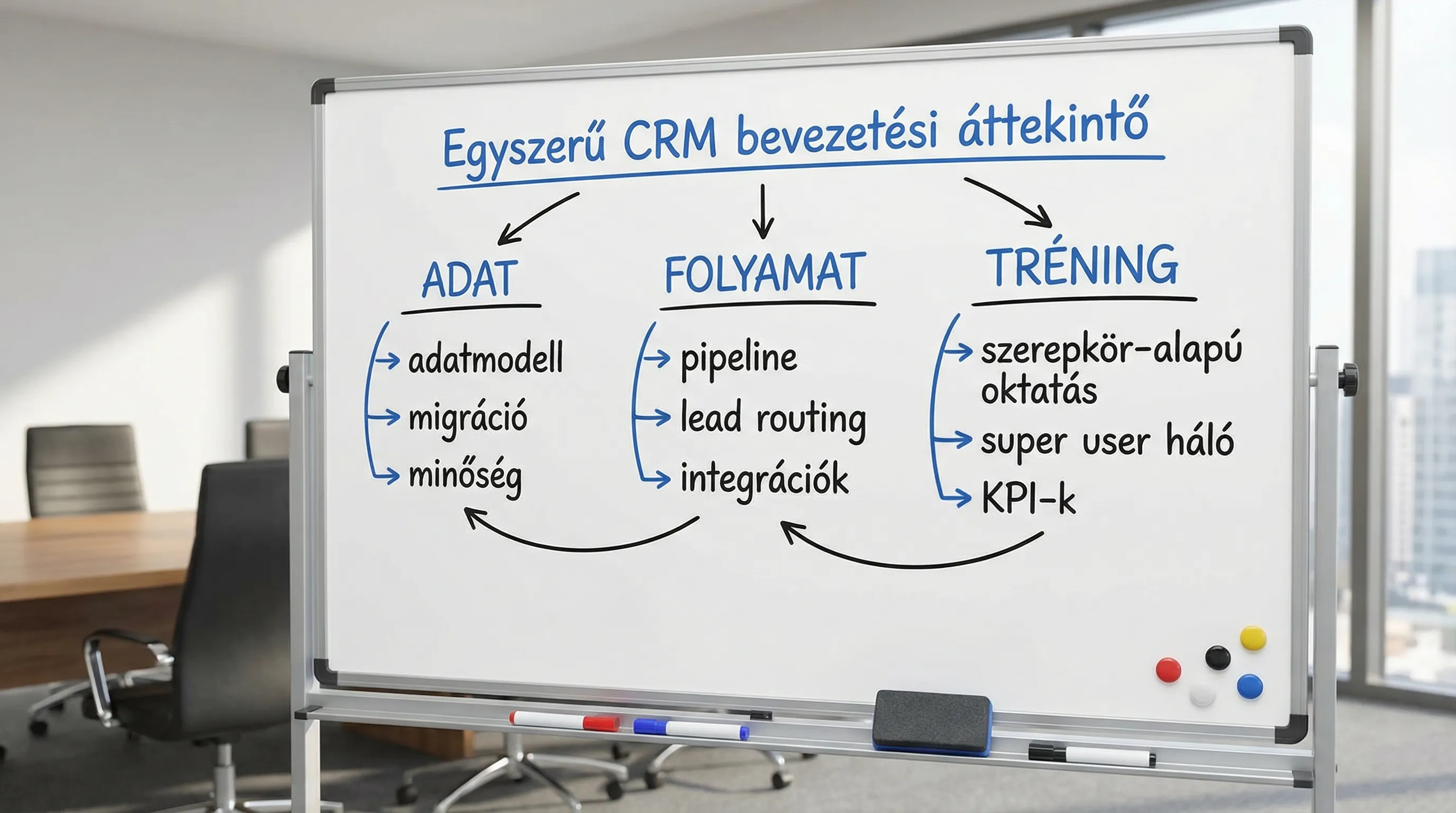
3) Training and adoption checklist: "use" does not equal login
Training does not take place one day before go-live. The goal is to establish the right routine and build internal capacity for continuous fine-tuning.
Role-based education (not a list of functions)
The most effective training is not about "here's the button," but about how a given role achieves its goal.
Typical roles:
salesperson (daily pipeline, activities, offers)
sales manager (forecasting, quality, coaching)
marketing (campaigns, lead statuses, segmentation)
customer service (tickets, SLA, knowledge base)
admin / CRM owner (permissions, fields, automations)
Super user network and internal support
In the 2–6 weeks after launch, the team will be inundated with questions. If everything goes to the supplier, it will be expensive and slow.
Check:
Are there 1–2 super users per team?
Is there an internal "how-to" knowledge base (short descriptions, screenshots, rules)?
Is there a regular feedback channel (e.g., 30 minutes per week)?
Adoption KPIs and management control
Training is worthwhile if the quality of its use can be measured. Examples of metrics:
KPI | What does it actually measure? | What counts as a warning sign? |
Percentage of active users | Regular work in CRM | Only the leader "watches," the team does not fill |
Required fields must be filled in | Data quality and discipline | Many "unknown," "N/A," empty fields |
Pipeline hygiene | Real forecast basis | Old, expired offers remain open for weeks |
Lead first response time | Speed and responsibility | Stands for days without a host |
It is worth measuring KPIs during the pilot phase so that you don't end up arguing based solely on feelings after go-live.
Go-live and the first 30 days: cutover, hypercare, fine-tuning
The period surrounding go-live is the riskiest. This is when it is decided whether CRM will be "just another system" or the backbone of daily work.
Cutover plan (transition plan)
Let it be written down and agreed upon:
When will data recording on the old system stop?
when will the final migration take place
how you check the success of migration (sampling, record numbers, critical fields)
What is the rollback plan (in case of a critical error)?
Hypercare (intensive support) and backlog
In the period following implementation, the goal is not to meet every demand immediately, but to ensure that the foundation is stable.
Good practice:
daily or bi-daily "error point" channel (short, structured)
weekly prioritization (what's wrong, what needs improvement)
Change of rhythm after 30 days (e.g., biweekly release)
Common pitfalls (and how to spot them in time)
1) "We'll fix the data later." If incorrect data is transferred, the credibility of the CRM is damaged and users will revert to Excel.
2) The process is not explicitly defined, it only exists in people's minds. In this case, CRM fields and automations are based on guesswork.
3) There is training, but no adoption. If there is no measurement and no management follow-up, the system exists formally, but decisions are not based on it.
4) Integrations after the fact. "Manual copying" quickly becomes a hidden cost and source of error.
If you would like to have an outside perspective on where the greatest risks lie, a short, targeted consulting session may be useful. Related reading: IT consulting: when is it needed and what do you get for it?
Frequently Asked Questions (FAQ)
How long does it take to implement a CRM system? It depends on the complexity of the system and the integrations, but for most organizations, a well-focused pilot takes 4–8 weeks, and full implementation typically takes several months.
What makes CRM data quality good? A clear data model, field mapping, deduplication rules, mandatory fields, and clear responsibilities (who corrects what and when).
Is CRM implementation more of an IT or business project? It's both, but without business ownership, it's almost certain to get stuck. IT is critical for integration, authorization, and operation, while business is critical for processes and usage.
What is the most important training element? Role-based training based on real-life situations, plus a network of super users that the team can turn to immediately.
What integrations are essential? Typically, email and calendar synchronization, web lead sources, and at least basic customer data synchronization with ERP or billing systems, if that's where the financial data is stored.
How do I know if the team is actually using CRM? Not by the number of logins, but based on pipeline hygiene, mandatory field completion, lead response time, and activity data.
Next step: request a CRM implementation assessment from the Syneo team
If several points are "risky" based on the above CRM implementation checklist, it is worth starting with a short survey: data status, process maturity, integration minimums, training, and adoptability.
Syneo supports the preparation and implementation of CRM projects with its digitalization and IT consulting expertise, especially where integration, data quality, and information security are key issues. Details and contact: Syneo.
