ERP implementation pitfalls: 9 mistakes that cost millions
Other
ERP implementation pitfalls: 9 mistakes that cost millions | Syneo
Learn about the nine most common ERP implementation mistakes that cost millions—lack of goals, data migration and integration problems, weak governance, and testing. Tips for prevention.
ERP, ERP implementation, data migration, integration, change management, governance, testing, IT consulting, DevOps, security, process development
February 14, 2026

An ERP implementation rarely slips or becomes more expensive because the software is "bad." Much more often, it is because during the project it becomes apparent that the processes are not clear, the data is not suitable for migration, integrations are missing, and users do not accept the new operation.
The stakes are high: ERP is the backbone of finance, inventory, procurement, manufacturing, sales, logistics, and reporting. If it goes wrong, the cost is not just the consultant's daily rate and license, but lost productivity, incorrect invoicing, poor inventory data, late deliveries, and the resulting loss of revenue.
In general IT projects, the risk is well illustrated by a frequently cited McKinsey analysis: large IT projects show an average cost overrun of 45% and a delay of 7%, while delivering less value than expected. (Source: McKinsey, Delivering large-scale IT projects on time, on budget, and on value)
The following nine ERP implementation mistakes typically fall into the "costing millions" category, because they can only be corrected at great expense and with compromises.
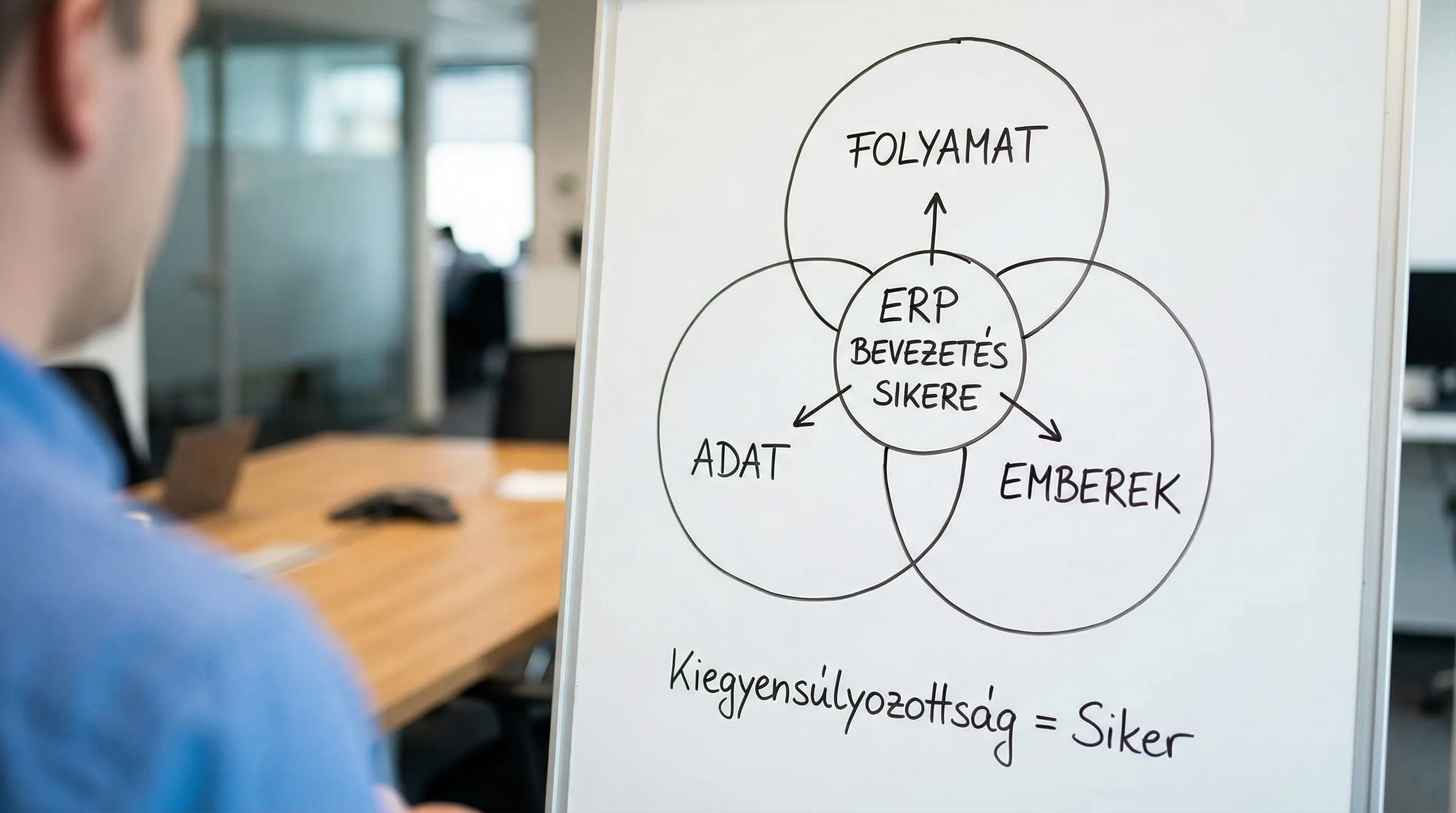
1) No clear business objective and measurable definition of success
If the goal of ERP implementation is simply to "have a modern system," then the project quickly becomes a collection of features: every department asks for something, the scope creeps, decisions are delayed, and in the end, it's hard to say why we slipped and what should be cut.
What will happen in practice? Too many modules will be launched at once, too many individual requirements will be included, testing and training will be squeezed together, and then the team will be exhausted by the "firefighting" that follows the launch.
What should you do instead?
Formulate 3-5 business objectives (e.g., reducing closing time, improving inventory accuracy, shortening lead times).
Assign KPIs, baselines, and target values to each goal.
Decide what constitutes a “minimum viable product” (MVP) and what can be left for later.
If you need a framework for this, Syneo's guide to planning goals and KPIs can be a useful supplement: Planning a digitalization project: goals, KPIs, risks.
2) The processes are not clear (you want ERP, not operation)
ERP will not bring order to disorderly operations; at best, it will "cement" the problems in place. A typical phenomenon is that the team wants to "map" the current Excel steps into the system, while there is no uniform definition for such basic things as item master, warehouse location, statuses, approval levels, or the ordering process.
Costly consequence: it becomes apparent late in the process that the departments' processes differ, requiring the configuration to be redesigned, along with the rewriting of training materials and test cases.
What should you do instead? Use fit-gap workshops (process vs. system) to go through the critical value processes:
Order-to-cash (quote, order, delivery, invoicing, outstanding receivables)
Procure-to-pay (request, purchase, receipt, invoice, payment)
Plan-to-produce (if production is involved: materials, capacity, operations, scrap)
The selection materials are very helpful, but process maturity is crucial for implementation. Related article: Selecting an ERP system: 7 considerations for companies.
3) You underestimate data migration (and do not designate data owners)
In an ERP project, "data" is not an Excel export. Master data, partner data, price lists, inventories, open orders, open items, production master data, item levels, BOMs, substitutions, units of measure, tax rates, bank accounts, payment terms. If there are duplicates, omissions, or different coding in these, the system will immediately detect it upon implementation.
The typical million-dollar trap: migration is left until the last few weeks, then "quickly put together," and it turns out that the inventory is wrong, the partner is faulty, the VAT setting is incorrect, or a key field is missing.
What should you do instead?
Designate master data owners for each area.
Have a set of data quality rules (mandatory fields, formats, uniqueness principles).
Conduct several rounds of "test migrations" and measure the error rate.
4) You start without integrations (or it becomes clear too late what needs to be connected)
Few companies operate "with ERP alone." Typical integration points:
CRM, web shop, customer service
WMS, courier services, freight forwarding
MES, machine data (production), quality assurance
Banking relationships, receivables management
Document management, e-invoicing, and NAV data reporting
If you take these out too late, you are left with two bad options: manual workarounds (flawed and expensive) or rushed, quick integration (unstable).
What should you do instead? Create an integration map during the planning phase:
Type of integration | Typical risk | Good practice for prevention |
ERP-CRM | duplicate customer and price data | “single source of truth” principle and uniform identifiers |
ERP-WMS/MES | mixing real-time vs batch requests | interface agreement (fields, delay, error handling) |
ERP e-invoicing/NAV | incorrect tax settings, format discrepancy | standards and inspections, connection in a test environment |
ERP bank | incorrect pairing, late payments | automated statement processing and control report |
If e-invoicing and compliance pages are also affected in 2026, it is worth treating the related requirements separately, rather than as an "ERP subtask."
5) You consider change management and training to be "soft" topics.
User acceptance is not a matter of presentation, but a daily routine. When implementing ERP, "not using it properly" is a direct path to bad data, and from there to bad decisions.
What usually goes wrong?
Key users are added too late.
There is no time for role-based education.
There is no documented "who does what" (RACI, responsibilities).
Managers do not hold the new operating methods accountable, so the organization reverts to its old ways.
What should you do instead?
Create a role matrix (e.g., purchaser, warehouse clerk, finance officer, controller).
There should be a "day at work" scenario and practice exercises for each role.
Introduce a hypercare period where you quickly improve settings and processes.
6) Too much customization and unique development is included (without control)
ERPs can be customized, but excessive customization creates long-term debt: more expensive implementation, more difficult updates, more errors, and greater operational burden.
Costly model: a unique module is created for every "special" requirement, while many requirements are actually related to process discipline, master data organization, or reporting issues.
What should you do instead?
Follow the “configure first” principle: configuration first, development second.
Every development should have a business rationale, value, risk, and upgradeability assessment.
Use change control: what goes in now, what goes into the backlog.
If you need a framework for boxed vs. custom decisions, this article is a good complement to your thinking: Custom software development vs. boxed software: when to choose which?
7) Weak governance: no decision-making authority, no project discipline, no resources
ERP implementation is a "business project with IT," not an IT project. Without an executive sponsor to make decisions, set priorities, and manage conflicts, the project will slow down due to interdepartmental negotiations.
Symptoms that burn money:
Decisions that remain unchanged for weeks (e.g., item level structure, approval levels).
Key people are only working on the project part-time.
There is no unified backlog and status report, so everyone has a different understanding of the readiness.
What should you do instead?
Have a designated sponsor and steering committee.
Set decision levels and deadlines.
Protect key users' time (otherwise, the project will be won by daily operations).
In such cases, external IT consulting often pays off because it stabilizes governance and risk management. Related reading: IT consulting: when is it needed and what do you get for it?
8) They went live without testing and a cutover plan
"Works in the demo" does not mean it will work at month-end, during inventory, at peak times, or when an unexpected error occurs. In ERP, testing is good when it is done on business scenarios, with real data (anonymized where necessary), and not just IT function testing.
Critical deficiencies:
UAT (user acceptance test) is only performed formally.
There is no performance test for reports and mass processing.
The cutover scenario is not broken down by hour.
No rollback plan (what will you do if billing stops in a live environment?).
What should you do instead? Plan the mechanics of the go-live in advance:
Area | Minimum requirements before go-live | What happens if you miss it? |
UAT | end-to-end business processes played out | the shortage becomes apparent in real life, operations come to a halt |
Cutover | steps, responsible persons, time window, checkpoints | chaos on the day of the switchover, data inconsistency |
Permissions | roles, separate responsibilities | audit risk, incorrect approvals |
Backup and restore | tested restore process | prolonged downtime incident |
9) Operation and IT security are addressed retrospectively (even though ERP is a critical system)
Many people consider go-live to be "the end of the project." In fact, it is the beginning of a new phase: stabilization, fine-tuning, authorization, monitoring, error handling, and updates.
If the system runs in the cloud, you still need controls (access, audit, integration security). If it's on-premises, there are even more operational tasks (patching, backup, capacity, DR).
A typical costly mistake: there is no clear responsibility for who reports incidents, who manages permissions, who approves changes, what the update policy is, and how availability is measured.
What should you do instead?
Establish an SLA and support model (internal, vendor, hybrid).
Integrate the DevOps approach wherever there is development and integration (version management, automated deployment, monitoring). Related: DevOps basics: the path from zero to production in 2026.
Manage access and logging separately (especially in financial and approval areas).
Quick summary of the 9 errors (manager's view)
If you only show one table to management, let it be this one. It helps to quickly identify where the project may slip and where immediate intervention is warranted.
Error | Early sign | Typical “million-dollar” effect | What should you ask for now? |
Lack of purpose and scope | everyone expects something different from ERP | scope creep, slippage, overplanning | KPIs, MVP, prioritized backlog |
Uncertainty of processes | “That’s how we do it” debate between departments | redesign, reconfiguration | fit-gap workshops, uniform definitions |
Data migration under management | “We’ll export it” attitude | incorrect inventory, incorrect finances, firefighting | data owners, quality rules, trial migration |
Integrations are delayed | manual copying plan | duplicate data, errors, unstable interfaces | integration map, interface agreement |
Lack of change management | resistance, back-Excel | bad data, bad reports | role-based training, hypercare |
Excessive customization | “This definitely needs to be developed.” | expensive upgrades, technical debt | configure first, change control |
Weak governance | decisions are made, no one is responsible | long-term project, internal costs | sponsor, steering, decision-making SLA |
Test and cutover missing | abbreviated UAT | sharp downturn, month-end chaos | end-to-end UAT, cutover schedule |
Operation and safety after the fact | “after go-live” | incidents, audit risk | SLA, permissions, backup/DR, monitoring |
What else should you do before departure? (a practical minimum package)
When implementing ERP, the best way to reduce risk is to "force" clarification before the contract and detailed project plan are finalized. The following deliverables typically pay for themselves quickly because they prevent costly redesigns later on.
Output | What is it good for? | When should it be ready? |
Project charter (objectives, scope, KPIs) | common definition, focus, management control | before departure |
Process map and fit-gap summary | where to standardize, where to configure | beginning of the design phase |
Data inventory and migration plan | data owners, quality rules, test cycles | during planning |
Integration architecture outline | interfaces, responsibilities, data flow | until the end of planning |
Test strategy + cutover plan outline | realistic go-live risk and time window | before build |
Operating model and minimum safety requirements | SLA, authorization, backup, logging | before go-live |
How Syneo can help with this (without “overplanning”)
Most ERP projects lose millions because fundamental issues (data, processes, integration, responsibility) are identified too late. Syneo's consulting and implementation support can add value by quickly clarifying critical issues and putting together a plan that is commercially measurable, technically feasible, and that your organization will be able to operate.
If you are currently implementing ERP (or it is already running but slipping), it is worth starting with a targeted assessment of the situation, where we map out the 9 risk areas above to identify where the biggest "cost leaks" are and what steps need to be taken in 30-90 days to stabilize the project.
For more related topics: