E-invoice 2026: checklist for issuing and archiving
E-invoice
E-invoice 2026: checklist for issuance and archiving | Syneo
Practical checklist for issuing and archiving e-invoices in 2026: NAV data reporting, data content, delivery, archiving, and audit security.
e-invoicing, archiving, NAV, audit, digitization, ERP integration, compliance, e-invoice, invoicing
March 8, 2026

By 2026, e-invoicing will no longer be a "digitization project" for many companies, but rather a business requirement: a partner expectation, a basis for automation, and a compliance risk. The problem is usually not whether we can "issue" the invoice, but whether we can do so in an auditable manner: with correct data content, in the appropriate format, with stable delivery, error handling, and retrievability at any time during the retention period.
This article provides a practical checklist for the two most critical points:
exhibition and data provision (so that your account can be protected both technically and procedurally),
archiving and verifiability (so that there will be no problems years later in the event of an audit, dispute, or system migration).
Always consult your accountant or tax advisor for the final interpretation of legal and tax issues. The goal here is to ensure that there are no gaps in the system from an IT and process perspective.
Quick context: what makes an e-invoice an e-invoice?
Most misunderstandings stem from the fact that many people think of PDFs as e-invoices in themselves. In practice, we talk about e-invoices when invoices are issued and stored electronically and the following basic principles are met:
authenticity of origin (verifiable, provenance),
data integrity (unmodified),
readability (until the end of the retention period).
There are several accepted solutions for "how" (regulated business controls, EDI, electronic signatures, time stamps, service provider solutions). The key is to have a reliable audit trail, not just your files.
If you need a summary of the 2026 regulatory guidelines and deadlines, we have detailed them in a separate article: E-invoicing 2026: what every business needs to know about the new rules.
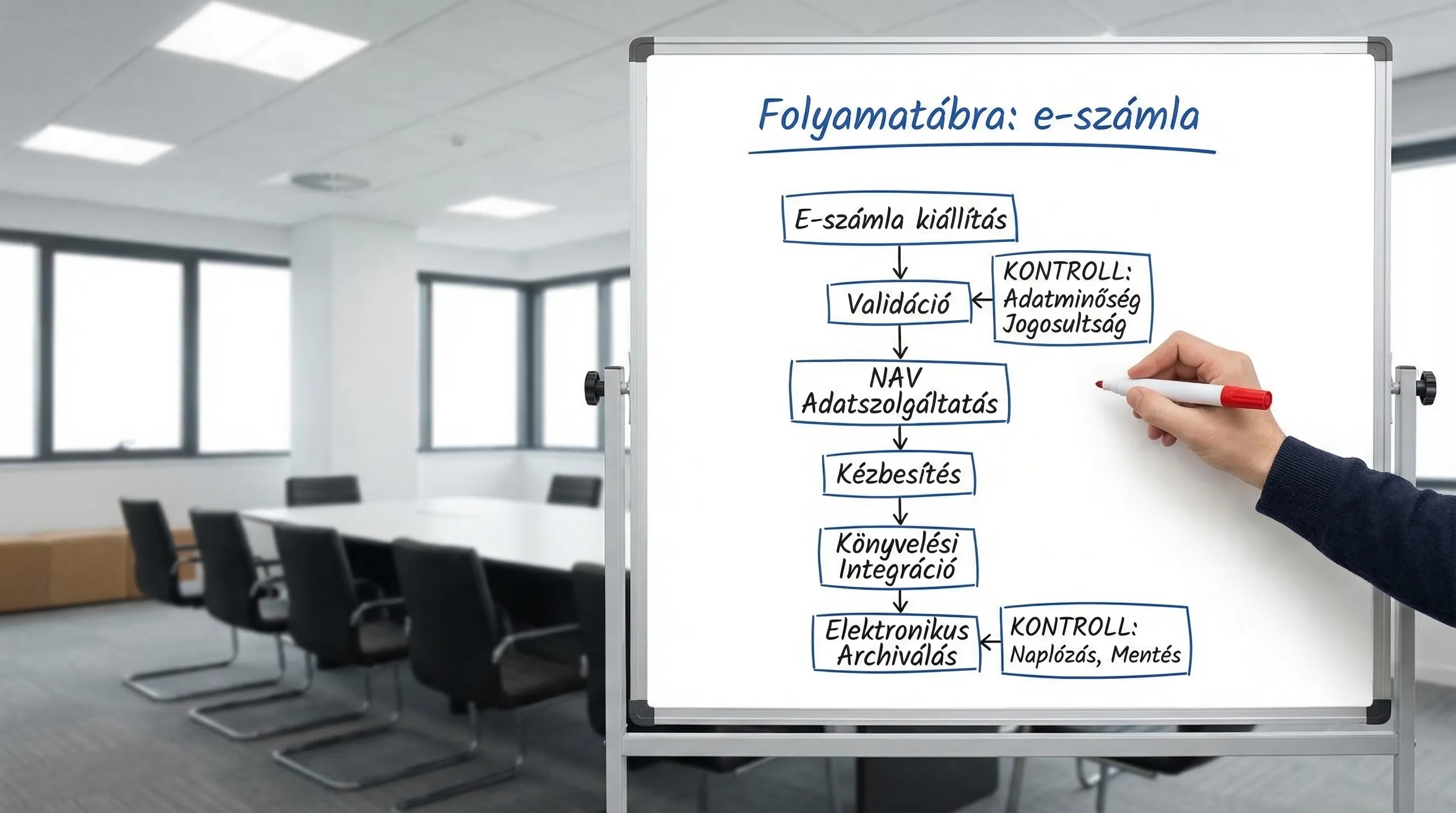
1) E-invoice issuance 2026: checklist (issuer side)
The list below is structured in such a way that it not only answers the question of whether the invoice will be issued, but also what happens in the event of an error, complaint, tax authority discrepancy, or system failure.
1.1 Data content and master data (the source of most errors)
With e-invoices, minor discrepancies in structured data (partner name, tax number, address, currency, fulfillment) can quickly turn into automation errors for both the buyer and you.
Minimum checks:
Partner master data: name, address, tax number(s) are up to date, and is there a responsible person (data controller)?
Product and service master data: VAT rates, descriptions, and units of measurement are used consistently.
Date of performance, payment deadline, currency: are they protected by rules (do not let everyone "smartify" them manually).
Corrective, reversal logic: are the process and technical support clear (especially in the case of integrated ERP)?
If you invoice from multiple systems (ERP, webshop, CRM, project management), data quality is part of system integration. Our related article can help you with this: System integration: how to connect ERP, CRM, and BI.
1.2 Format and compatibility (what the buyer's system "eats")
In 2026, more and more partners will request not only PDFs, but also structured e-invoices (standard fields, machine-readable format). This is typically determined by the invoicing/ERP system and the chosen e-invoice channel.
Control questions:
Does the invoice issued comply with the format requested by your partners (this is critical for B2B integrations)?
Is there machine validation before issuance (fields, mandatory elements, logical relationships)?
Were "real-life" extreme cases (negative series, advance payments, partial invoices, foreign currency, reverse taxation, community transactions) handled?
1.3 NAV Online Invoice data reporting and reconciliation
In Hungarian practice, the "reality" of e-invoicing is often decided here: if the data reporting is incorrect or deviates, it is difficult and costly to put things in order later.
What should be incorporated into the operation:
Handling technical feedback (successful submission, rejection, warning).
Retry and queue temporary NAV or network errors.
Daily or weekly reconciliation checks: do the number of items on invoices issued and those reported to the tax authority match in terms of quantity and total value?
Managing permissions and keys: who has access to technical users, tokens, and exchange processes.
Official starting point: NAV Online Invoice.
1.4 Authenticity and integrity: what is your evidence?
For "audit-proof" operation, it is worth specifying in advance what counts as evidence for you. Typically, the question is not whether there is a signature, but what you can present in the event of a dispute or audit.
Area | What should you check? | What should you keep as evidence? |
Who issued it | Authorized user, approval procedure | Authorization matrix, roles, approval log |
What did you exhibit? | All fields are mandatory, consistent calculation | Issued e-invoice file (structured), versioned template/rule |
Has it not changed? | Exclusion of subsequent amendments | Hash/log, change log, archiving event log |
When did you leave? | Delivery time and channel | Delivery log, confirmation, email gateway log |
What went to NAV | Consistency | NAV feedback with ID, submission status |
1.5 Delivery and partner management (in the event of "non-receipt")
Frequent disputes regarding e-invoices: "did not arrive," "could not open," "will not accept it like this." These must be handled as they arise.
Minimum points:
Delivery channel specified for each partner (portal, email, EDI, other).
Handling bounced emails and failed deliveries (ticket, resend, alternative channel).
Partnership agreement: terms of acceptance, format, contact persons.
1.6 Error handling and business continuity
E-invoicing is a critical business process. If invoicing stops, delivery, service activation, or payment collection may also stop.
Control questions:
What is the fallback if the billing or integration is unavailable?
Is there any monitoring (error rate, submission delay, failed delivery)?
Who is on duty and what is the response time?
2) E-invoice archiving 2026: checklist (retention, retrieval, audit)
An invoice is not "ready" when you send it out, but when you can still retrieve it years later. A typical mistake made by Hungarian companies is that the invoice is "somewhere" in the invoicing system, but:
no guaranteed traceability,
no access control and logging,
the audit trail is lost during system migration,
It is unclear what constitutes an original copy.
Due to accounting requirements, invoices must typically be retained for eight years, so it is advisable to plan for archiving as a long-term operational capability from the outset.
2.1 Technical minimum requirements for archiving
Requirement | Practical solution (example) | Typical error |
Traceability | Indexing by account number, partner, date, amount | "It's in folders," you can only search manually |
Innocence | Write-protected storage, versioning, logged access | Anyone can upload a "corrected" file to the same location. |
Readability | Openable format, documented display | Old format, display logic missing |
Access management | RBAC, least privilege, logging | Everyone sees everything, there is no audit log |
Backup and recovery | 3-2-1 backup, tested restore | There is a backup, but restoration has never been attempted. |
System stability | Export and migration plan | When changing billing providers, the past is "lost" |
2.2 What should you actually archive? (not just the "invoice image")
The problem with many companies is that only PDFs are saved, whereas in 2026, structured data and logs will provide defensibility.
According to good practice, it is archived:
the issued e-invoice file (structured format, if available),
the displayed invoice image (if you use one),
proof of delivery (shipping log, confirmation),
NAV data reporting feedback and status,
change logs: who did what and when (issuance, approval, cancellation, correction),
Changes to partner acceptance and channel settings.
2.3 Security and GDPR: invoices may also constitute personal data
An invoice often contains personal data (contact name, email, address, even sole trader details). For this reason, archiving is not just a matter of storage.
Minimum controls:
Encryption during storage and data transfer, where relevant.
Permissions broken down by role (finance, accounting, sales, customer service).
Logging and alerts for suspicious access.
Integrating data management information and internal regulations into the process.
For security-focused add-ons: E-invoice security master: protect your customers' data with ease.
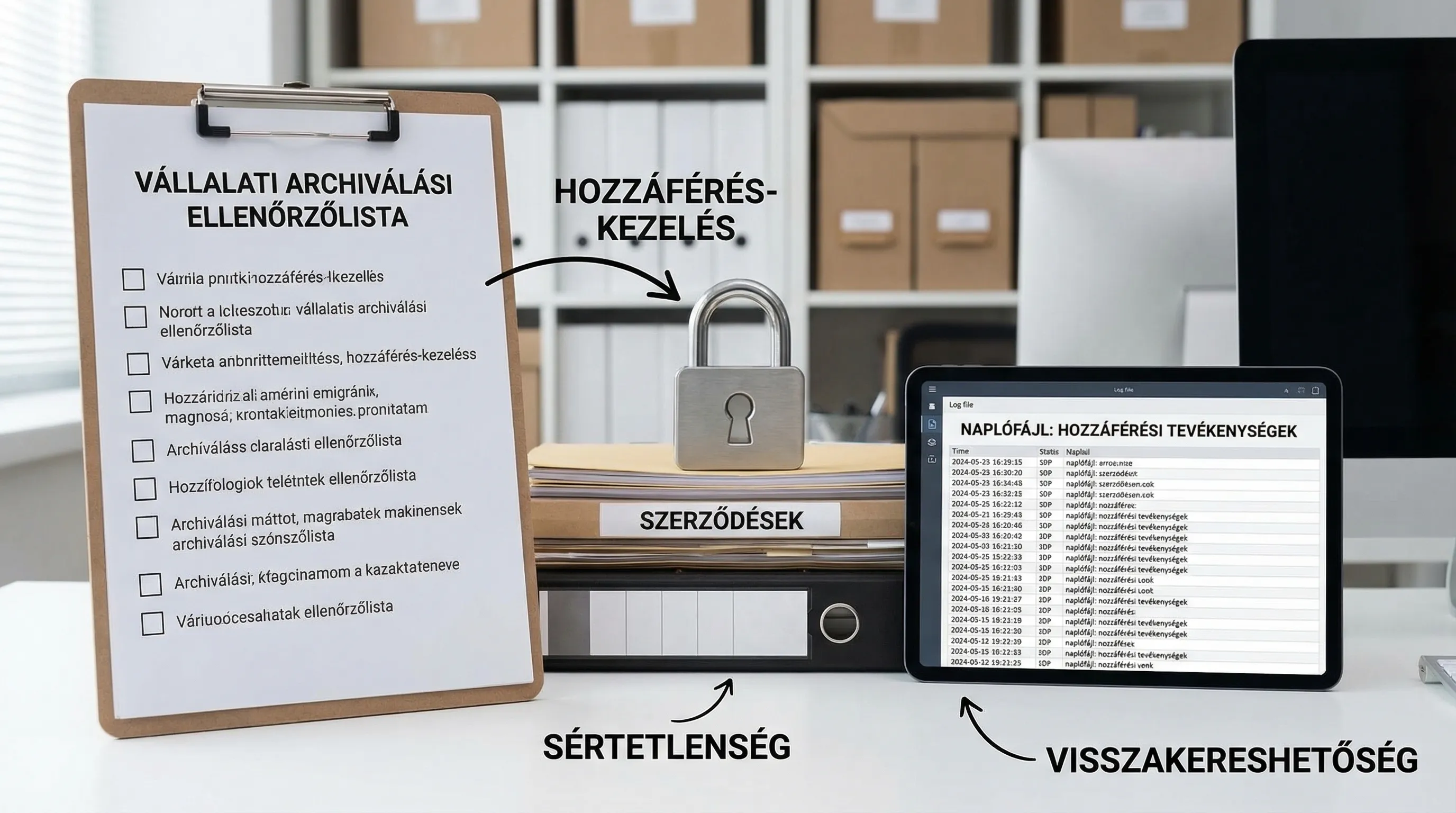
3) "Audit package" thinking: what you would prepare for an audit
If you want to prepare quickly, put together an internal, repeatable "audit package" for e-invoicing. It doesn't have to be complicated, but it should include everything that proves control.
Typical content:
Process description (issuance, approval, delivery, correction, archiving).
RACI or responsibility matrix (who is responsible for finance and IT).
Authority matrix and roles.
NAV data reporting management procedure (what to do in case of error).
Sample logs and sample records (delivery, submission, archiving events).
Backup and restore plan, date and result of last restore test.
This approach is particularly useful when there are multiple locations, multiple legal entities, or multiple billing channels.
4) System and integration: where might things go wrong in 2026?
E-invoicing is rarely a "single system." It is typically a chain:
ERP or billing system,
NAV data reporting module,
delivery channel,
accounting and approval,
archiving (DMS, storage, e-archive),
reporting and coordination.
Typical errors are not technological peculiarities, but fundamentals:
there is no clear "source of truth" (which system is primary for billing data),
manual corrections are made "silently," without logging,
integrations do not stop in a controlled manner in the event of an error,
Accounting automation will start sooner than data quality improvement.
If you want to automate e-invoicing for accounting purposes, it is worth taking a look at this approach: Accounting digitization: automation from e-invoicing to general ledger.
5) 30-day implementation plan (SME-friendly, yet auditable)
If you don't have time to start a "big program," this 30-day breakdown will help you build control first, then automate.
Period | Goal | Specific output |
Week 1 | Clarification and risk list | Flowchart, responsible persons, list of missing items (exhibition, NAV, delivery, archive) |
Week 2 | Controls and evidence | Coordination rules, error handling, logo requirements, access rights |
Week 3 | Organizing archiving | Indexing, permissions, backup and restore test, export sample |
Week 4 | Stabilization and measurement | Monitoring (error rate, submission delay), monthly reconciliation routine, 1-page audit package |
The goal is not to create a "perfect system" in 30 days, but to ensure that it works predictably and has the minimum level of verifiability that can be scaled later.
When is it worth bringing in outside help?
Most companies request support when there is already a problem (NAV discrepancy, partner rejection, lost archives, or when changing invoicing systems, it turns out that there is no migration plan). However, with e-invoicing, preparation is cheaper than firefighting.
Syneo can help by assessing your existing billing and archiving operations and then providing a realistic, phased plan for processes, integrations, and security controls. If you're interested, this is a good place to start: Syneo.
Related background material, if you are still interested in the introductory steps: How to introduce electronic invoicing? A practical guide for beginners.
