Azure DevOps Git: Branch Strategies and Pull Request Rules for Teams
Other
Azure DevOps Git: Branch Strategies and PR Rules for Teams | Syneo
Azure DevOps Repos: Practical Branch Strategies and PR Rules for Teams — Trunk-based Baseline, Branch Policy Recommendations, Merge Strategies, Permissions, and a 30-Day Implementation Plan.
Azure DevOps, Git, branch strategy, PR, pull request, branch policies, CI/CD, DevOps, DevSecOps, trunk-based, merge strategy, code review
March 29, 2026

For a team, Git isn’t “just version control”—it’s the backbone of the delivery system. Without a unified branching strategy and a consistent set of PR (Pull Request) rules, the following typically happens: manual fixes on the main branch, hidden breaking changes, a pre-release “integration week,” and endless debates about what can be merged. The great thing about Azure DevOps (Repos + Branch Policies) is that you can translate these debates into concrete, enforceable rules.
The following guide provides teams with a proven baseline for the Azure DevOps Git environment, along with decision-making criteria if you need something more complex than the baseline.
First, decide: what development and release cycle are you optimizing for?
The "best" branching strategy always depends on your actual delivery situation: how often you release, how much parallel development is taking place, whether there are strict compliance requirements, and how mature your CI/CD pipeline is.
Model | When is it a good choice? | Main advantage | Typical risk |
Trunk-based (short-lived feature branches) | Frequent releases, strong CI, small to medium-sized teams | Fast integration, fewer merge conflicts | Without feature flags, it is more difficult to manage major changes |
Release branch + hotfix | Stability is important; there is support for parallel releases | Predictable release stabilization | It could easily turn into a "mini-GitFlow" with too many manual steps |
GitFlow (develop, release, hotfix) | Less frequent releases, stronger phasing, inherited functionality | Clearly distinguishable phases | Slower turnaround time, more branch management, greater integration burden |
If you’re setting up a new system in 2026, a trunk-based model with an optional release branch will offer the best balance between speed and control for most teams.
Recommended "safe default" for Azure DevOps Repos
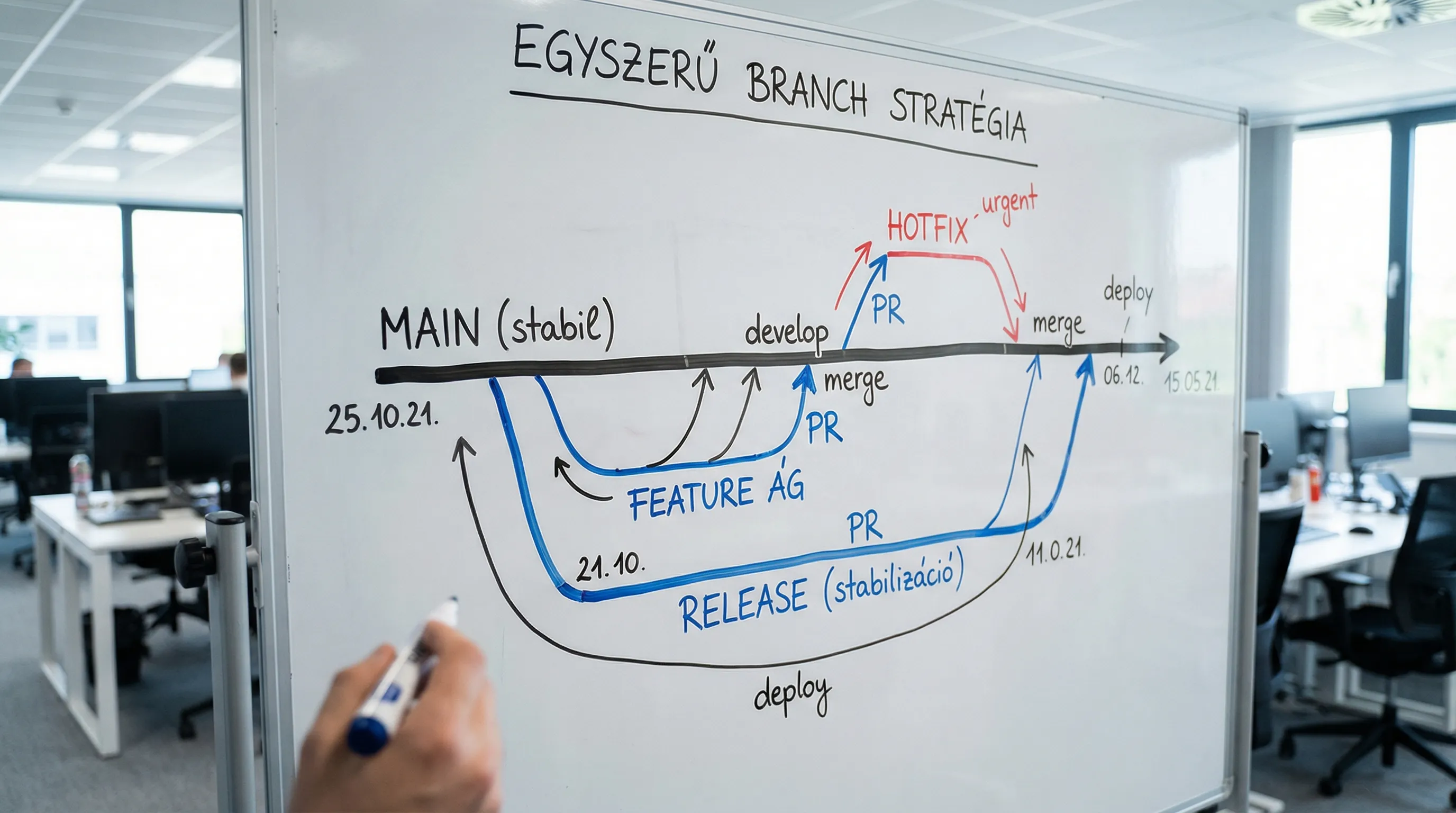
The goal: to have a single source of truth (main), with development taking place on short branches via PRs.
Branches and Their Roles
main: always in a deployable state, protected branch (branch policies are mandatory).
feature/*(or bugfix/*): short-lived branches organized around a single user story or ticket.
release/*(optional): if you need a release window, or if you support multiple versions simultaneously.
hotfix/*(optional): for quickly fixing critical bugs, but still via a pull request.
A naming convention that will continue to work in the future
A specific, searchable name makes a big difference during audits and debugging.
feature/PROJ-123-customer-exportbug fix/PROJ-481-nav-timeoutrelease/2026.04
The PROJ-123 This part should be the same as the Azure Boards work item ID (if you use it).
PR Workflow for Teams: The Bare-Minimum Viable Process
A good PR process isn't about administration; it's about risk mitigation and knowledge sharing.
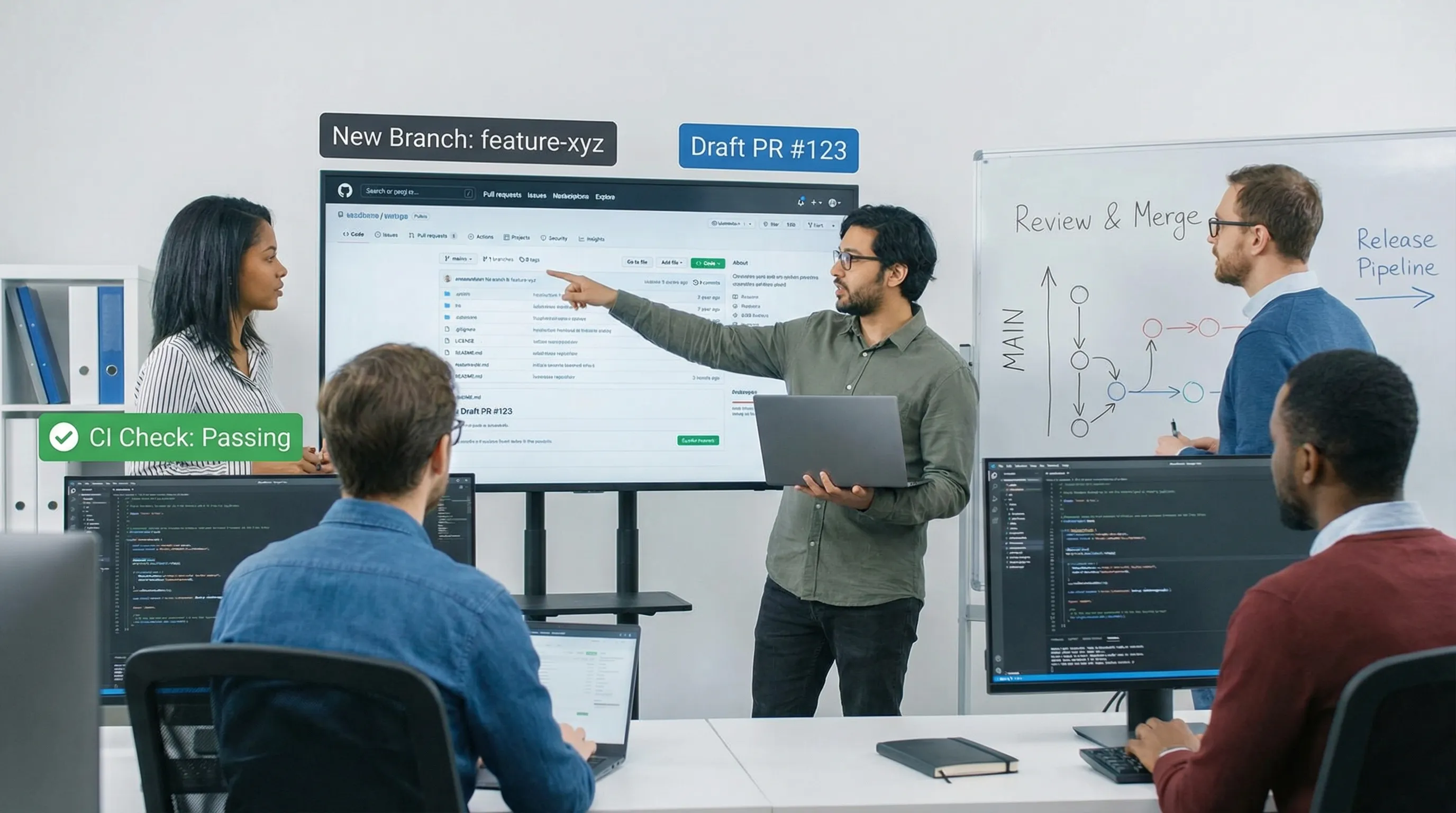
1) PR can be opened even when it is still in a semi-finished state
If the change is significant, use PR for early feedback.
Open Draft PR as soon as there's a meaningful diff.
Describe the goal in 2–4 sentences and explain how you tested it.
Link the work item.
2) Review: Don't just look at the code—look at the risks too
A reviewer’s job is not to police style, but to identify risks:
Chance of a breaking change
Error handling, idempotence, retry logic (if applicable)
Security (secrets, permissions, input validation)
Testability and observability (logs, metrics)
3) Merge: It should be deterministic and auditable
Avoid the "merge first, then let the pipeline decide" approach. If mandatory build validation is in place, the PR can only be approved if it passes.
Azure DevOps PR Rules: Branch Policies You Should Set Up
In Azure DevOps, most PR rules can be configured under Branch Policies and are configurable on a per-branch basis. For specific options, refer to Microsoft’s official documentation: Azure Repos branch policies.
Mandatory baseline policy for the main branch
We typically recommend that all teams enable these:
Minimum number of reviewers: at least 1–2 reviewers, depending on the size of the team.
Check for linked work items: there must be a ticket associated with the change.
Check for resolved comments: Make sure no discussions remain open.
Build validation: mandatory CI run for PRs (unit tests, lint, build).
Limit merge types: Enforce the merge strategy chosen by the team.
Based on the "Required reviewers" path, instead of CODEOWNERS
Azure DevOps supports route-based mandatory reviewers. In practice, this replaces the CODEOWNERS model.
Examples:
/infra/*In the event of a change, the Platform/DevOps team is required to review it/auth/*In such cases, a Security or senior developer must serve as the reviewer
Examples of policy packages (for quick decision-making)
Team standings | Minimum number of reviewers | Build validation | Extra check |
Small team, rapid iteration | 1 | PR build + unit | Unlink work items and comments |
A medium-sized team, multiple components | 2 | PR build + unit + base SCA | Route-based required reviewer |
Strong compliance, high risk | 2–3 | PR build + unit + SAST/SCA + IaC check | Restricted bypass rights, stricter permissions |
Note: It is generally recommended to implement SAST/SCA/IaC checks as pipeline tasks (using Azure Pipelines or another CI tool) and link them to pull request (PR) build validation. For a more detailed discussion of the DevSecOps aspect, see the related article: DevSecOps in Practice: How to Build Secure CI/CD.
Merge strategy: squash, merge commit, or rebase?
Merge mode affects readability, bisection, and how "noisy" the history is.
Merge mode | When is it beneficial? | What should you pay attention to? |
Squash merge | If PR is a logical unit and you want a clean history | The detailed commit history will be lost, so make sure the PR description is clear |
Merge commit | If preserving the actual branch history is important | A more eventful history, more "merge commits" |
Rebase (fast-forward) | If you want a linear history that preserves commits | Conflict resolution and discipline are needed; use force push with caution |
When choosing a team baseline, a squash merge is often the option that causes the least controversy, especially when commit discipline is inconsistent.
Permissions and "bypass" rules: this is where many implementations go wrong
A well-defined policy is useless if anyone (or too many people) can bypass it.
The most common recommendations:
Disable direct pushes to the main branch.
Only a very limited group of people should be allowed to bypass policies.
For service accounts (CI/CD), clarify when write access to the repository is required and when it is not.
It’s worth aligning these rules with broader DevOps practices. If you need a broader perspective, here’s a good starting point: DevOps Fundamentals: The Path from Scratch to Production in 2026.
What should you measure to determine whether the system of rules is working?
A branch strategy and PR policy are effective if they measurably improve traffic and stability.
Two practical layers:
Flow metrics: PR cycle time, review turnaround time, WIP, reopened PRs.
Delivery metrics: DORA metrics (deployment frequency, lead time for changes, change failure rate, MTTR). Google also publishes research on the DORA approach in its State of DevOps reports; the DORA resources page is a good place to start.
If PRs regularly get "stuck" in review, it isn't necessarily a policy issue; it could also be a problem of capacity or ownership. In such cases, it's worth reviewing the RACI matrix and team workflow; related to this: DevOps framework for SMEs: roles and KPIs.
30-Day Implementation Plan (Realistic, Team-Friendly)
Week 1: Decision and Baseline
Choose a model (typically trunk-based) and commit it:
branches (main, feature, optional release/hotfix)
naming convention
merge mode
Definition of Done at the minimum PR level
Week 2: Configuring Azure DevOps policies
Set up the baseline policy package on the main branch:
minimum number of reviewers
linked work item
resolved comments
build validation
merge type restriction
Week 3: “Smart tightening” by route
Implement route-based required reviewers for critical sections (infrastructure, authentication, financial integrations), and see where they cause actual bottlenecks.
Week 4: Fine-tuning based on metrics
Measure the PR throughput and build stability.
Reduce noise (too many mandatory reviewers, too slow a pipeline).
Include 3–5 specific rules in the team’s playbook and make them part of the onboarding process.
Common mistakes that make PR guidelines unpopular
You should avoid the following examples:
Too many mandatory reviewers for every PR results in a review backlog.
Build validation using tests that are randomly flaky causes the team to violate the policy.
“It’s urgent, so we’ll bypass it”—and that’s how things will be from now on.
The release branch is a mess because there are no rules about what goes into it and when.
The key to a good setup is: a strict main branch, a fast feature branch, and extra control over risk where it’s truly warranted.
Frequently asked questions (FAQ)
What is the best branching strategy for teams in Azure DevOps? For most modern teams, a trunk-based approach (main branch + short feature branches via pull requests) is the best starting point, with an optional release branch if stabilization is needed.
What should be required PR rules in Azure DevOps? At a minimum, reviewers, a linked work item, resolved comments, and build validation are generally required baseline rules, plus merge type restrictions to ensure consistency.
What is the minimum number of reviewers? For a small team, one may be sufficient, but for a medium-sized team, two typically ensure more consistent quality. For critical code, it is advisable to reinforce the process with mandatory reviewers assigned by workflow.
Squash merge or merge commit? If you want a clean history and your commit discipline is inconsistent, a squash merge is the simplest option. If a detailed commit history is important, a merge commit or a rebase might be better.
How can you set up a "code owner" rule in Azure DevOps? Using the "Required reviewers" setting and path filtering, you can specify who must approve changes to certain folders.
What should we do if our PR policy is slowing down the team? First, measure key metrics (PR cycle time, review turnaround, build time), then streamline the process in a targeted way: reduce flaky tests, optimize the pipeline, and assign additional reviewers only to critical paths.
If you want to quickly set up a stable Azure DevOps environment, it’s worth getting an outside perspective
If your team frequently experiences setbacks, has slow release cycles, or struggles with deciding what to include in the main branch, a brief audit and policy workshop can often lead to tangible improvements within a few weeks.
The Syneo team can support you with digital and IT consulting, as well as DevOps and development operations setup—from planning your branch strategy and PR guidelines through implementation to CI/CD and DevSecOps controls. For more details, check out the related materials or contact us via the Syneo website.
