Document digitization with OCR: accuracy and costs
Digitalization
Document digitization with OCR: accuracy and costs | Syneo
How can you measure OCR accuracy and keep document digitization costs under control? IDP, TCO, pilot, and GDPR guidelines for companies.
digitization, OCR, IDP, TCO, document digitization, field accuracy, pilot, GDPR, automation, integration, image quality
February 24, 2026
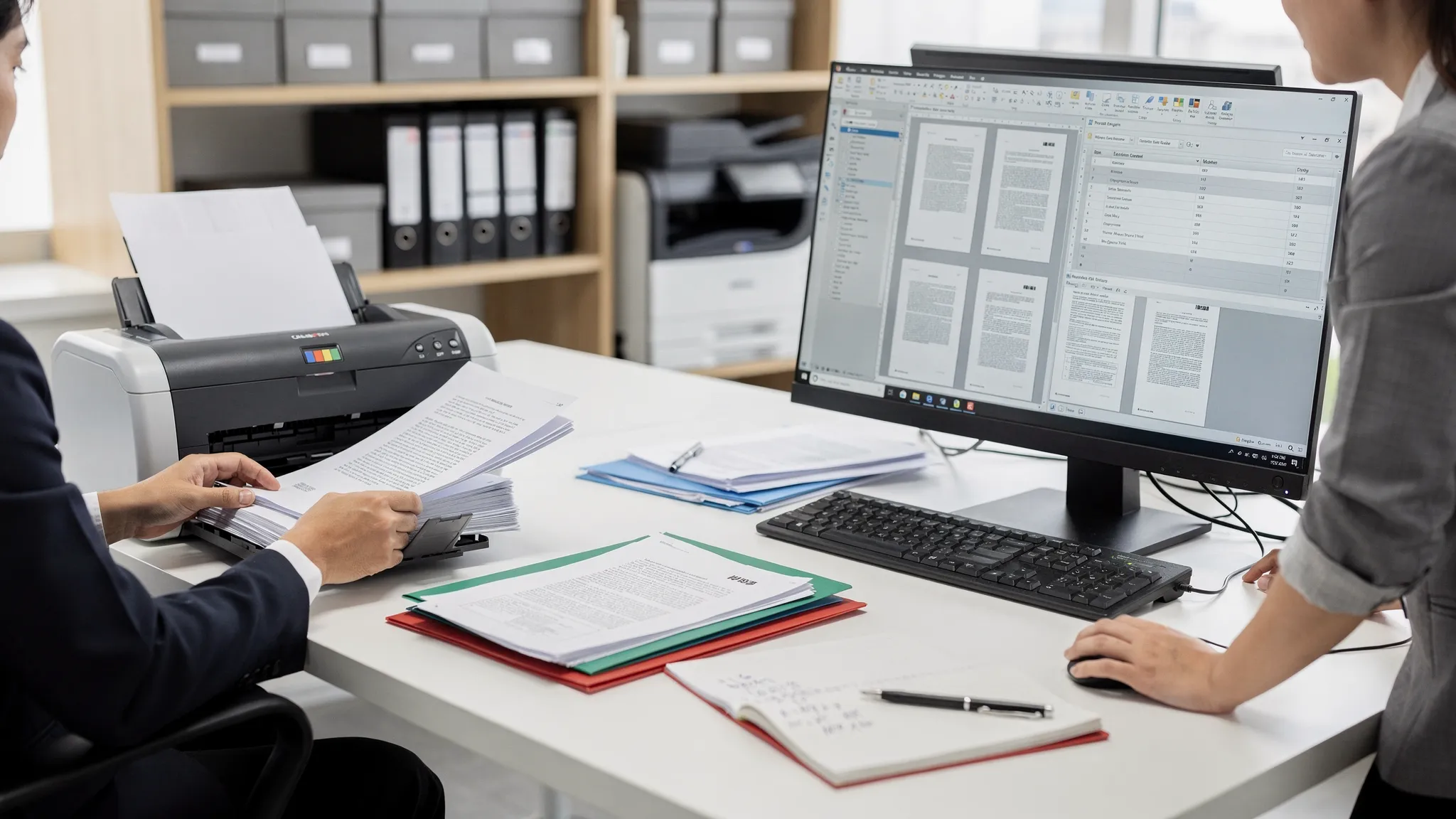
In many companies, document digitization is still seen as a "scanning + OCR = done" type of project. In reality, the result depends on two things that are often contradictory: what level of accuracy you expect and what your budget is. If one of these is not clear, the other will certainly be compromised (or the process will remain manual).
In this article, we explain how to realistically measure OCR accuracy, what factors impair or improve it, and what cost models you can expect to encounter in 2026 in a corporate document digitization OCR project.
What does "OCR accuracy" mean in practice?
Many offers only mention a vague "95-99% accuracy," which can be misleading on its own. It matters whether:
we are talking about character accuracy (how common is "B" instead of "8"),
accuracy (e.g., account number, date, tax number, item number are correct),
or end-to-end accuracy, i.e., how many documents pass through without human intervention.
A good approach is to link accuracy to business outcomes (for example, "99% of contracts should include the partner name and date," or "70% of incoming documents should be filed without human intervention").
Indicator | What does it measure? | When is it useful? | A typical trap |
Character accuracy | Correctness of characters | For clean printed text, basic comparison | Does not indicate whether critical fields are good |
Word or token accuracy | Correctness of words | Searchability, full-text index | Incorrect syllabification and hyphenation can distort meaning. |
Field accuracy | Correctness of a specific field | Key data from forms, invoices, contracts | A single character error is a "bad field" |
Touchless ratio | Proportion processed without human intervention | Return on automation | Poorly set thresholds show false success |
Error cost | The business cost of errors | For management decisions, SLAs | Difficult to estimate without a baseline |
Tip: Instead of "accuracy," it is worth thinking in terms of SLAs: what type of document, what fields, what minimum requirements do you contract for?
What makes OCR less accurate and what makes it more accurate?
OCR is part of a chain. If the input is bad, even the best model won't work miracles. Accuracy typically slips on these points:
1) Image quality and preprocessing
Low resolution, blurring, motion blur (common in mobile photography).
Distortion, perspective, shadows, especially in on-site photos.
Overly aggressive compression (e.g., strong JPEG artifacts).
In many cases, it is not the OCR itself that is "weak," but rather the lack of proper preprocessing (deskew, denoise, binarization, contrast enhancement, cropping). This can be cheaper than having it corrected by a human later on.
2) Document variation and layout
The greatest cost and accuracy risk is the "infinite variant":
many different supplier invoice formats,
constantly changing templates,
tables, footers, multiple columns,
stamps, handwritten notes.
The more stable the structure of the documents, the easier it is to achieve high field accuracy.
3) Language, character set, special fields
In Hungarian, errors in accents, mixing up numbers and "O/0" and "I/1," as well as sensitivity to long identifiers (e.g., IBAN, tax number) are common.
In such cases, you can improve accuracy not only with OCR, but also with rule-based validation (e.g., format checking, check digits, master data reconciliation).
OCR or Intelligent Document Processing (IDP)?
Most corporate projects are not actually "OCR projects," but rather IDP (Intelligent Document Processing) projects:
receipt of documents (e-mail, folder, API, scan),
classification (what type of document),
data extraction (OCR, field detection, table reading),
validation (rules, master data, checks),
human verification only for uncertain items,
Integration into ERP/CMS/CRM/printing systems.
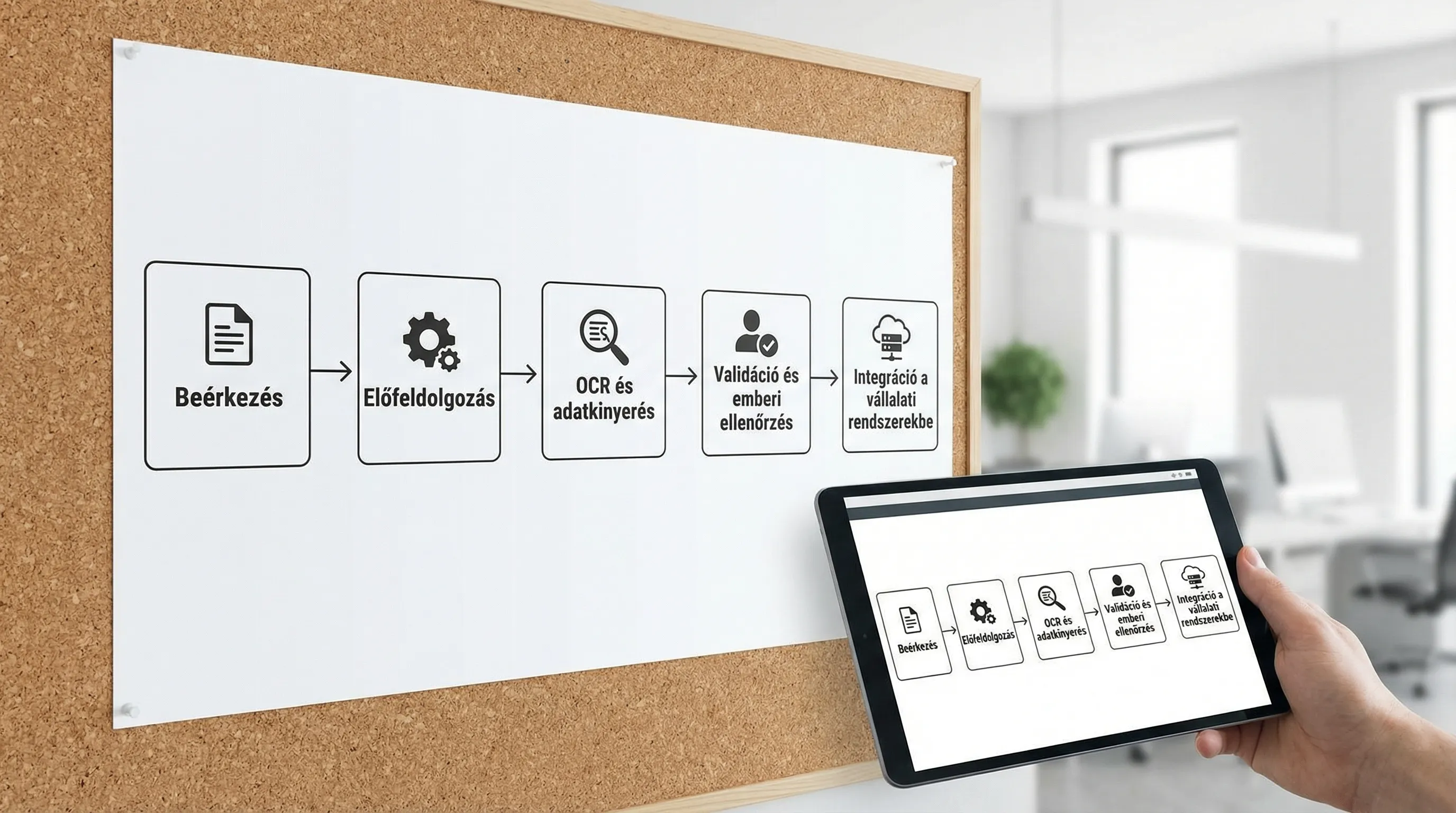
Why is this important in terms of costs? Because 30–70% of the cost is often not the OCR itself, but the "trappings": document type management, exception handling, permissions, auditing, integration, and operation.
Cost models with OCR: why is the "page rate" misleading?
The question "How much does OCR cost per page?" is understandable, but rarely leads to a good decision. Service providers and solutions typically charge in the following ways:
Cost model | What are you paying? | When is it good? | Main risk |
Page-based | Scanned/viewed page | Simple, homogeneous stocks | Does not reflect the complexity of fields and exceptions |
Document-based | Per document | If the "unit cost" of the document is calculated | Mixing 1-page and 20-page documents causes distortion |
Field/harvest-based | After harvested fields | Structured use cases (forms, invoices) | Scope creep in case of poor definition |
Subscription (SaaS) | Monthly fee + credit limit | Continuous load, scaling | Underutilization or overshooting above the limit |
On-prem license + operation | License + infrastructure + team | Strict data residency or high volume | High initial investment, update burden |
Hybrid | Mixed (e.g., basic subscription + usage) | Variable volume, multiple use cases | More difficult to calculate TCO |
Practical advice: always ask for costs per document type and per process step (receipt, classification, retrieval, verification, integration, archiving). This way, hidden items will become visible sooner.
Typical components of total cost of ownership (TCO)
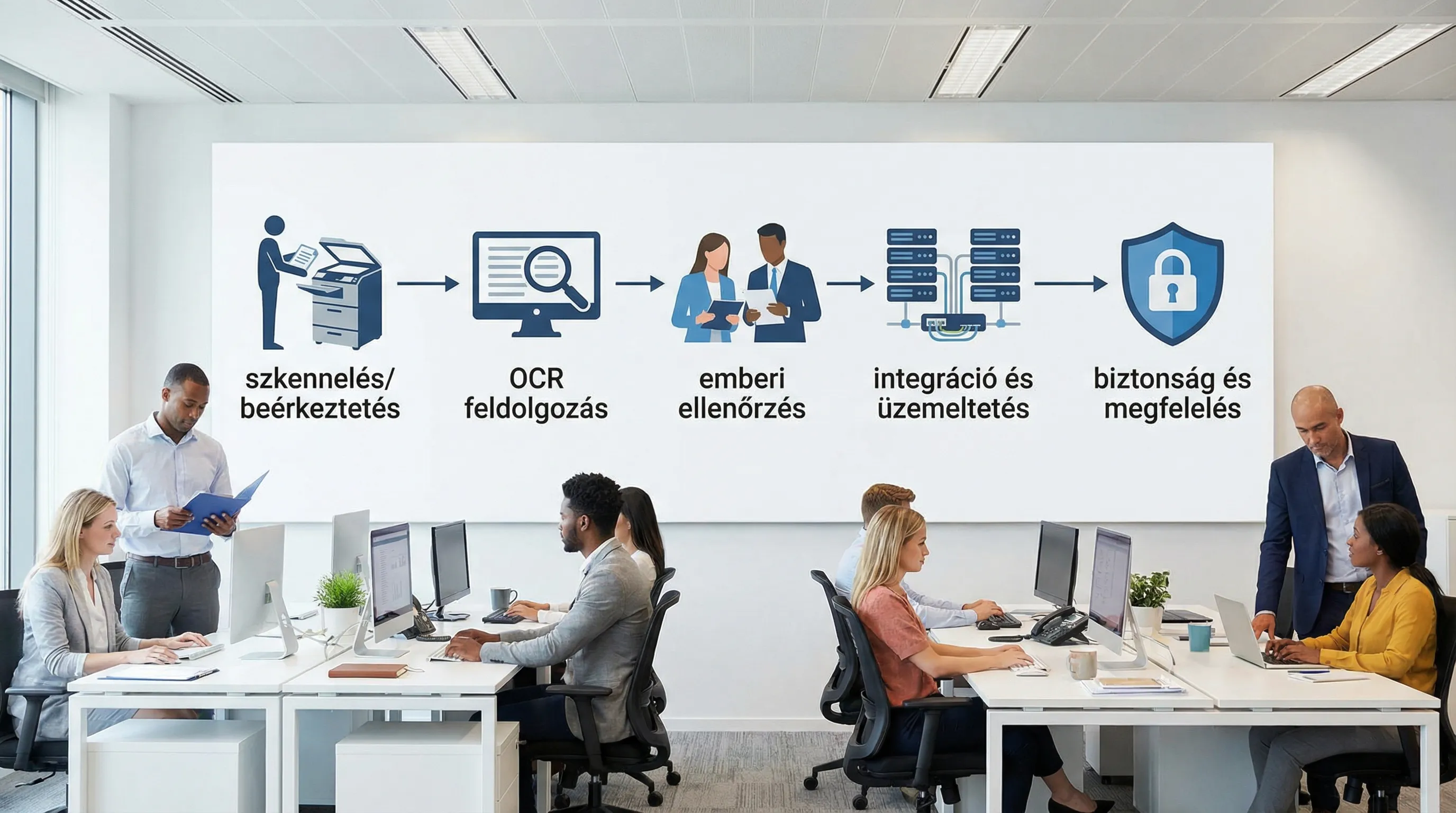
The TCO of a corporate document digitization OCR solution typically consists of the following:
Digitization and receipt: scanning, email processing, folders, API.
Pre-processing: image enhancement, rotation, cropping, quality control.
Processing: OCR, classification, data extraction, table management.
Validation: master data, rules, checks (e.g., format, ranges).
Human control: exception handling, in case of low confidence.
Integration: ERP/CMS/CRM/printing and workflow connections.
Operation and change management: monitoring, retraining, new templates, incidents.
Security and compliance: authorization, logging, encryption, data retention.
Experience shows that increasing accuracy is often cheapest not by "tuning" OCR, but by reducing exceptions (e.g., better document quality, supplier standardization, validation rules).
Accuracy versus cost: how to set up "smart" control?
The optimal solution for a company is rarely to have every document reviewed by a human, and it is also rarely to automatically approve everything. A good model is confidence-based gatekeeping:
automatic processing in case of high trust,
In case of medium trust, quick, targeted verification (only 2–3 fields).
Full verification or request for return in case of low confidence.
This way, costs are incurred where they are truly necessary, and accuracy can be elevated to a business level.
How do you estimate costs and returns in advance?
The most reliable estimate comes from a short pilot, but even before that, a reasonable approximation can be made. To do this, it is worth working with processing unit costs rather than "OCR costs."
Input | What should you measure? | Why does it matter? |
Monthly document count | per month per document type | Capacity and license/usage planning |
Average number of pages | page/document | Processing and storage requirements |
Manual processing time baseline | minutes/document | ROI basis (saved working time) |
Exemption ratio target | % of documents handled by humans | Operating costs are decisive |
Number of critical fields | field/document type | Field accuracy and verification burden |
Error cost | HUF/error or HUF/event | The price of quality and risk |
A simple line of thinking for ROI:
savings = (baseline manual time - new average inspection time) × number of documents × hourly rate,
minus: platform + integration + operation + exception handling costs,
Plus: less quantifiable gains (quick searchability, auditability, SLA improvement).
If your organization already uses automation in finance, it is worth coordinating this with the larger process. We have detailed the approach focusing on invoicing processes separately in the article Digitization of accounting: automation from e-invoicing to general ledger.
Pilot: how to measure what your OCR can actually do in 30–60 days?
The goal of the pilot is not to "solve every document," but to reliably tell you:
what level of accuracy can be achieved for the relevant document types,
how much will the exception handling be,
and how much the integration and operational burden is.
A good pilot typically looks like this:
Document type selection: 2–4 types, where the volume is large or the pain is severe.
Sample set: there should be enough variants (different quality, suppliers, templates).
Ground truth: use manual recording as the "gold standard," otherwise there is nothing to measure against.
Acceptance criteria: field accuracy, touchless ratio, throughput time, error cost.
Minimum integration: at least one real target system or realistic export (not just Excel).
If your organization has multiple digitization initiatives underway, it is worth fitting the pilot into the KPI and risk management framework, as described in the document Planning a Digitization Project: Goals, KPIs, and Risks.
Security and compliance: why is it not "just an IT issue"?
Documents often contain personal data, trade secrets, health or financial information. For this reason, when choosing a solution, it is worth clarifying at least the following:
where processing takes place (cloud, on-premises, hybrid),
where documents and extracted data are stored, what data residency requirements exist,
authorizations, logging, encryption, incident management,
data retention and deletion, as well as traceability in the event of an audit.
From a GDPR perspective, the official EU GDPR website is a useful starting point. If processing runs in a development and operations chain, DevSecOps provides a practical example of how to integrate controls into CI/CD : Build Secure CI/CD article.
Decision questions: what to ask before choosing an OCR solution?
The best offer is one that covers not only the technology, but the entire process. It is worth asking about the following, among other things:
What exactly are the metrics for accuracy (character, field, touchless), and how are they measured?
Is there a model for each document type, or is everything handled "in one"?
How is exception handling performed (UI, workflow, permissions, audit)?
What kind of validation and master data integration is available?
What integration patterns do you support (API, message queue, file, ERP connector)?
What is the change management process for new templates and new fields?
What counts as an additional cost (new document type, new field, new language, new volume)?
If the project is part of a larger digitization program, it may be useful to clarify broader priorities as well. The guide Digitization in 2026: Where to start? can help with this.
Common misconceptions (which increase costs)
The following patterns very often cause cost or accuracy problems:
The "AI will solve it" approach with poor input quality.
Too many document types at once, without a pilot.
It is not specified which fields are business-critical, so everything is treated "the same."
Integration comes late, so the initial POC is not scalable.
No designated process owner and exception handling responsibility.
Frequently Asked Questions
How accurate is document digitization with OCR? It depends on the document type and quality. High accuracy can be achieved with clean, printed, high-quality materials, but commercially, field accuracy and touchless ratio are decisive.
What is the difference between OCR and intelligent document processing (IDP)? OCR reads text from images. IDP does more than that: it recognizes document types, extracts fields, validates, handles exceptions, and integrates with enterprise systems.
Why is it not enough to decide based on price per page? Because the total cost is often driven by exception handling, document variation, integration, and operation. The price per page does not reflect the risks of field accuracy and process costs.
How should you create a pilot for an OCR solution? Select 2–4 document types, compile a sample containing variants, prepare ground truth data, and set acceptance criteria in advance (field accuracy, touchless ratio, throughput time).
Is it better to run OCR in the cloud or on-premises? It depends on your data residency and security requirements, the volume of data, and the importance of scalability. In many cases, a hybrid solution offers the best TCO.
Next step: measurable accuracy, controlled costs
If you are planning to digitize documents with OCR, the fastest way to reduce risk is usually a well-defined pilot: clear metrics, real documents, and minimal integration. The Syneo team can help with IT and AI consulting, process assessment, and implementation support to ensure that accuracy is not just a "promise" and costs do not come as a surprise.
For contact details and further information, visit the Syneo website or get started with a KPI-based project plan based on the article on planning a digitization project.
