NAV e-Invoicing: Common Mistakes and Quick Solutions for Businesses
E-Invoice
NAV e-Invoicing: Common Mistakes and Quick Solutions for Businesses | Syneo
Quick Guide for Businesses: How to Identify and Fix NAV E-Invoice Errors (XML/XSD, Master Data, Permissions, Retry). Triage, Corrections, and Prevention.
NAV e-invoice, NAV, e-invoice, troubleshooting, XML, XSD, integration, master data, retry, observability, ERP, invoicing, DevOps
March 13, 2026

The NAV e-invoice (and the NAV Online Invoice data reporting) typically causes the most headaches when you’re already invoicing in production, the finance department is waiting for outgoing invoices, and the customer is complaining—all while the system simply says: “Submission failed.” The good news is that most of these errors can be traced back to a few recurring causes, and there are quick, practical solutions available for them.
This article is intended for companies that already use (or are in the process of implementing) e-invoicing and NAV integration, and are looking for a quick approach to troubleshooting, correction, and prevention. (Always consult an accountant or tax advisor regarding legal interpretations and tax issues.)
What are the most common issues with the NAV e-invoice?
Most problems aren’t “the NAV’s fault,” but rather a glitch in one of the three layers:
Data layer: master data (customer, tax ID, address), product/VAT logic, currency, dates, rounding, invoice chain (amendment, reversal).
Format and validation layer: XML structure, required fields, data types, XSD compliance, character encoding.
Integration and operations layer: technical users, tokens, permissions, network issues, timing, retries, idempotence, logging.
If you separate these three layers during troubleshooting, the time required to resolve issues is typically reduced to minutes or 1–2 hours, rather than days.
A 15-minute "triage" troubleshooting session (before you rewrite anything)
Before switching to developer mode, perform a quick, thorough triage:
1) Is the error reproducible or intermittent?
If it's intermittent (sometimes good, sometimes bad), suspect: network issues, NAV availability, rate limits, timeouts, or a lack of retries.
If the same account is always listed incorrectly, it's suspicious: data or XML.
2) Where does it go wrong? Submission, upload, or status check?
Define exactly what you mean by “the breaking point”:
The billing system does not generate XML.
There is an XML file, but the upload failed.
The submission was successful, but the processing status is incorrect.
Processing is fine, but the receipt or archiving of e-invoices on the customer side is delayed.
3) Is there sufficient evidence to support the error?
At the very least, make sure you have the following on hand:
invoice ID (internal ID, invoice number)
Exact version of the sent XML
submission date and time (including time zone)
NAV response (requestId, transaction ID, error message)
application log (HTTP status, timeout, retry)
If you don't have these, the first step is to get your logging in order; otherwise, you'll be troubleshooting blindly.
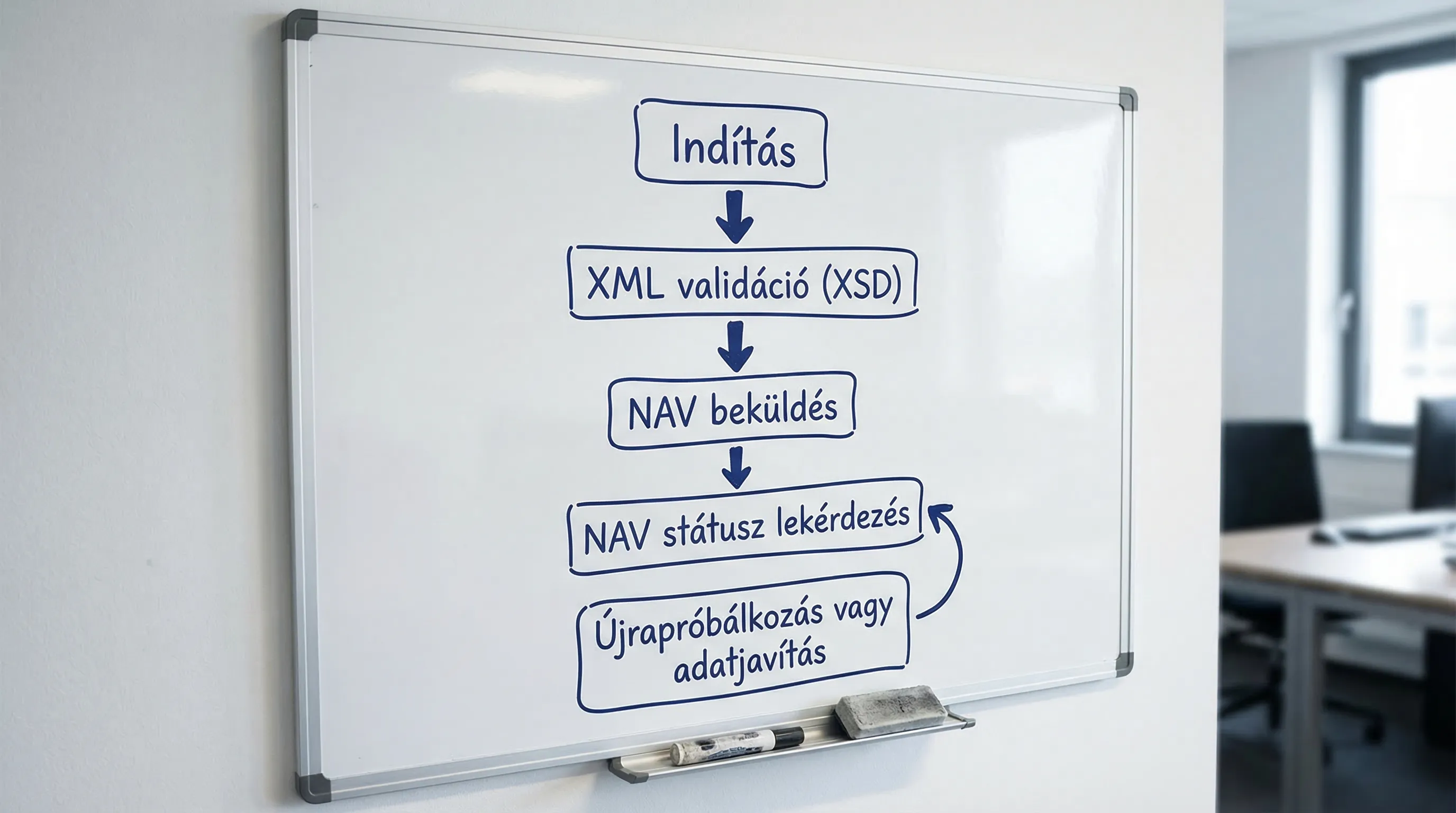
Common NAV e-invoice errors and quick fixes (in practice)
The examples below are intentionally "patterns" rather than a list of specific error codes, because the exact messages may vary depending on the version and integration. The underlying logic, however, remains consistent.
1) Schema validation errors (XSD, missing required fields)
Issue: The NAV rejects the submission during the first validation, often with an immediate error.
Common causes:
A required field is missing (e.g., partner information, address details, unit of measure)
incorrect data type (text instead of a number, too many decimal places)
XML structure is not compatible with the XSD used
Quick solution:
Run the XML through XSD validation (including in the development pipeline)
Check whether the schema version used by the billing system is compatible with NAV
Set a "fail fast" rule: don't send the invoice if the XML isn't valid
Prevention: versioned XSD tests in CI and automated regression testing whenever the billing system/ERP is updated.
2) Incorrect or incomplete customer information (particularly the tax ID number)
Issue: The invoice is generated, but it is rejected during NAV validation or a business review.
Common causes:
typo in the customer's tax ID number
Master data for an existing partner (updated company information)
Incorrect country code, EU VAT number
Quick solution:
Designating a single source of truth (system of record) for partner data
Master data reconciliation between the ERP system and the invoicing system
Prevention: master data rules (validation upon saving) and regular data cleansing of partner records.
3) Logical errors in dates (performance, issuance, payment due date)
Reason: Rejection based on "business logic," or the customer refuses to accept the e-invoice because it is inconsistent.
Common causes:
The completion date is later or earlier than what the process allows
Due to the time zone difference, the day "shifts" (especially around midnight, when integrating APIs)
Quick solution:
Consistent time formatting (UTC or local time, but consistently)
Incorporate these rules into the invoice generation process (so they aren't only revealed upon submission)
Prevention: automated test cases for "deadline" and "end-of-month" dates.
4) Rounding and discrepancies in amounts (lines, VAT, total)
Issue: NAV or the customer's system detects that the amount fields do not match.
Common causes:
Mixing row-by-row and total rounding
too many decimal places (quantity or unit price)
Inconsistencies in foreign currency and exchange rate management
Quick solution:
Define a rounding policy (for example, round each row and then sum them)
Reconcile the policy with the accounting records (especially regarding VAT totals)
Prevention: "invoice verification" module before invoicing.
5) Inconsistencies in VAT rules (exemptions, reverse charge, 0%)
Issue: The system sends the invoice, but the business validation or the customer's system fails.
Common causes:
Missing or incorrect VAT code (0%)
Missing reference or incorrect marking in the case of reverse charge
Quick solution:
The product/service master data should include a clear VAT rule
Exceptions (exemptions, reverse cases) should be treated as separate "cases," not handled manually on an ad hoc basis
Prevention: a financial checklist for rare VAT cases and testing of sample invoices.
6) Duplicate account number or conflicting serial numbers
Issue: Multiple submissions, rejections, or errors associated with the same account number on the buyer's end.
Common causes:
Parallel invoice generation across multiple locations
A poorly handled "retry" causes duplication
Quick solution:
Central serial number range management
idempotent submission: the same internal ID should not generate a new account number
Prevention: Sequential governance and integration load testing.
7) Errors in the invoice chain for adjustment or reversal invoices
Issue: The submission or processing fails because the referenced original invoice does not match.
Common causes:
incorrect reference to the original invoice
The logic of the adjustment (item level, amount level) is not standardized
Quick solution:
Implement invoice chain validation: “Does the base invoice exist?”, “Is its status valid?”, “Has it already been modified using the same logic?”
Prevention: invoice chain "state machine" approach and auditable log.
8) Technical user, token, and authorization issues
Issue: authentication error, lack of permissions, unable to submit, status query not working.
Common causes:
expired, revoked, or misplaced keys
Mixing keys between the wrong environments (test vs. production)
permissions that are too broad or too restrictive
Quick solution:
Separate credstore (test and production)
key rotation and documented access management
Prevention: Implementing basic access controls; a good starting point for this is Syneo’s guide to e-invoice login and access management.
9) Timeout, NAV unavailability, no retry
Issue: "Sometimes it works, sometimes it doesn't"; there are more errors during peak hours.
Common causes:
timeout setting is too short
no exponential backoff retry
There is no queue; everything happens in real time
Quick solution:
Implement asynchronous submission using a queue
Set up retry rules (limit, backoff, dead letter queue)
Prevention: monitoring, error rate alerts, and "degraded mode" (invoices are issued, but submission is delayed yet controlled).
10) “Submission successful,” but incorrect status handling (in-progress)
Situation: You receive a response to your submission, but it later turns out that there was a processing error or the process is "stuck in limbo."
Common causes:
the system does not prompt for status
There is no SLA specifying how long one can remain dependent
There is no exception-handling workflow
Quick solution:
automated status polling or webhook-based processing (if supported by the architecture)
Daily (or hourly) reconciliation report: what’s pending, what’s incorrect
Prevention: a joint exception-handling process involving Finance and IT (who does what, and within what timeframe).
Quick reference table: symptom -> cause -> solution
Phenomenon | Common cause | Quick solution | Prevention |
Immediate rejection upon validation | XML/XSD error: required field missing | XSD validation and fail-fast | CI validation, version control |
Business audits | Tax ID, VAT logic, date logic | Master data and rule validation | Partner data quality, sample invoices |
Intermittent faults | timeout, NAV availability, rate limit | retry, backoff, queue | monitoring, alerts |
Duplicate account number | parallel numbering, incorrect retry | idempotence, central index | governance, load testing |
Bookmakers that offer bet modification or cancellation | broken link | chain verification, state model | auditable audit trail |
Submission successful, but still missing | Status: Not processed | reconciliation report, polling | SLA process and exception handling |
“Operational Minimum”: What Should You Measure and Log for NAV e-Invoices?
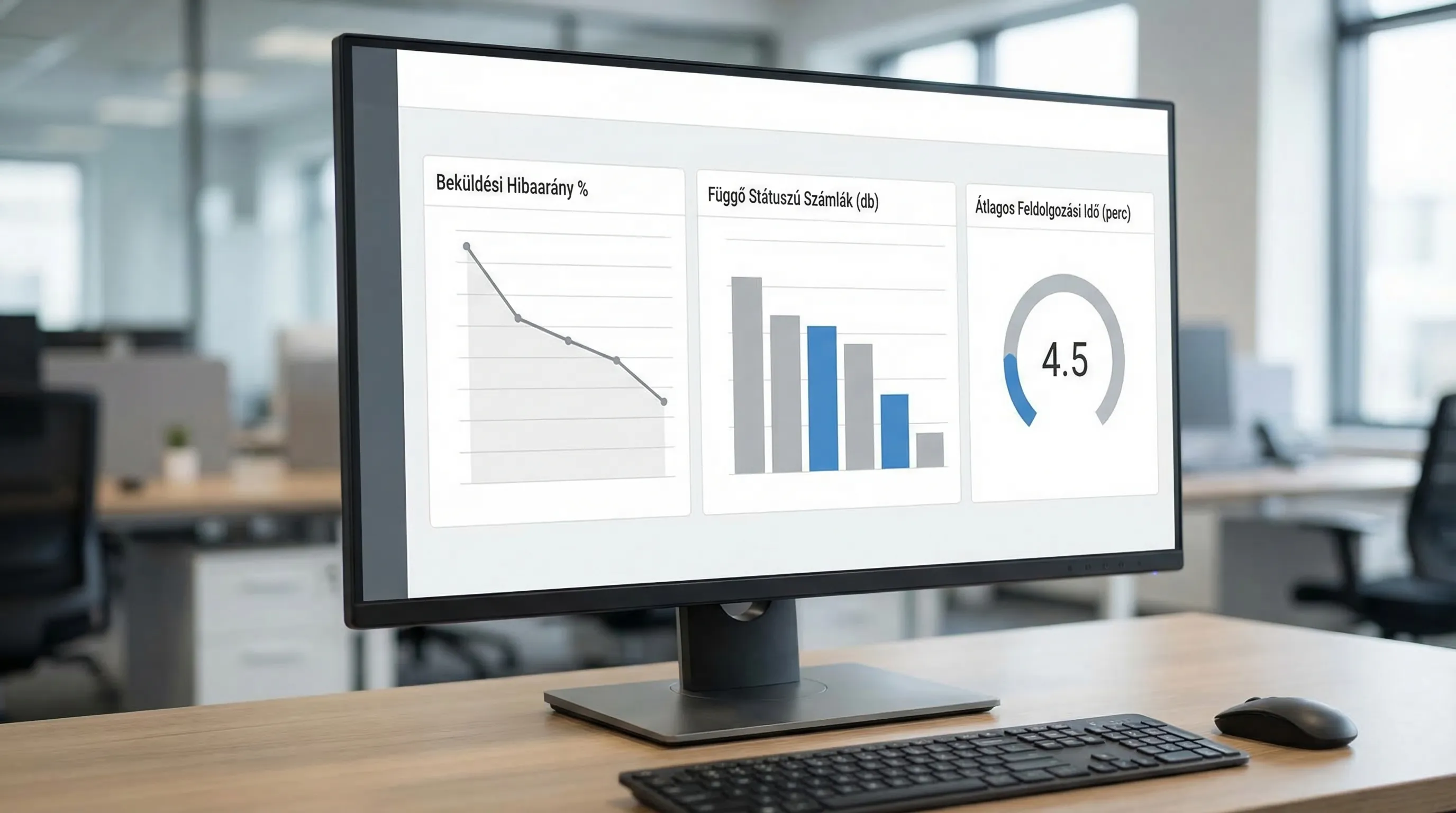
The NAV e-invoice system involves not only development but also operations. Without the minimum level of observability, troubleshooting will be costly.
Area | Minimum log/report | Why is it necessary? |
Submit | Invoice ID, time, environment, HTTP status, NAV response ID | reproducibility and verifiability |
Processing status | pending, approved, rejected, date of last review | Don't let any items get "stuck" |
Errors | error type category (data, XML, auth, network) | prioritization and rapid triage |
Retry | retry count, backoff, final state | Avoiding duplication and infinite loops |
Business reconciliation | Daily variance: invoiced vs. processed by the tax authority | Financial Closing and Control |
If your company adopts a DevOps mindset, these metrics also fit well into a general monitoring framework (for more on this, see: DevOps Fundamentals in 2026).
When should you consider a "system-level" fix rather than a quick fix?
There are signs that it is no longer a matter of fixing individual errors, but rather of stabilizing the entire e-invoicing process:
The same set of errors recurs every week (for example, rounding and VAT exceptions).
Multiple systems are involved (ERP, CRM, invoicing, DMS), and responsibility is "spread out."
There is no reliable reconciliation, so the finance department can only verify the figures manually.
A new standard or version update is coming, and there is no test suite.
In such cases, a brief survey, an integration map, and a responsibility matrix can be very helpful. If data flows between multiple systems, you may also want to consult the guide on system integration.
The " E-Invoicing 2026" summary can serve as a useful reference for understanding the regulatory landscape, while the " E-Invoice 2026" checklist provides guidance on best practices for issuing and archiving e-invoices.
As an external source, you should always refer to the "Information and Documentation " pages of NAV Online Invoice for official requirements and updates.
Frequently asked questions (FAQ)
What is the difference between NAV e-invoicing and NAV Online Invoice data reporting? In practice, companies often treat them as one and the same, but there may be differences in the “electronic nature of the invoice” (receipt, archiving) and the technical process of data reporting. If you’re looking for an error, always clarify which stage is failing: issuance, submission, status, or acceptance.
What should I do if submissions occasionally fail, but the same XML file sometimes goes through? In such cases, the issue is typically not a data or XSD error, but rather a timeout, temporary unavailability, rate limit, or lack of retries. Asynchronous submission using a queue and controlled retries usually resolves the issue quickly.
How do I know if I have an XSD (schema) error? Errors often appear immediately upon submission and typically involve "required fields" or "invalid structure." The quickest solution is to perform a local XSD validation before submitting.
Why do errors related to VAT and rounding occur so frequently? Because these are rarely caused by errors in a single field; rather, they stem from policy issues: how we round numbers, how we calculate on a line-by-line basis, and how we handle exceptions. The solution lies in a mutually agreed-upon set of rules (between Finance and IT) and an automated test suite.
How can we prevent duplicate account numbers from being submitted due to retries? By using idempotent submissions (where the same internal ID results in the same output), central numbering, and a dead-letter queue for persistent errors, so that the retry loop does not run indefinitely.
When should you bring in an external expert to address NAV e-invoice errors? If the error affects multiple systems (ERP, invoicing system, integration layer), if there is no proper logging and reconciliation, or if fixes keep failing at the same point. In such cases, a brief audit and a stabilization plan are faster and more cost-effective than constantly putting out fires.
Next step: rapid stabilization or a preventive audit
If your invoicing process is regularly interrupted due to errors in the NAV e-invoicing system, or if you want to avoid unpleasant surprises associated with version updates, it’s worth treating the issue not just as “a single error,” but as a process and an integration.
The Syneo team provides support in IT consulting, system integration, and custom development, with the goal of ensuring that NAV submissions are consistently stable (logging, retries, reconciliation, permissions) and do not depend on individual heroes.
For more information, check out our overview of IT consulting, or visit the Syneo website to get in touch.
