What does "e-invoice" mean in practice? Definitions and examples
Billing
What Does E-Invoicing Mean in Practice? Concepts and Examples | Syneo
What does e-invoicing mean in practice? This article explains the difference between PDF and XML, the role of the National Tax and Customs Administration (NAV), archiving, typical risks, and practical examples for businesses.
e-invoice, electronic invoice, NAV Online Invoice, XML, PDF, archiving, EN 16931, accounting, digitization, e-invoicing
April 10, 2026
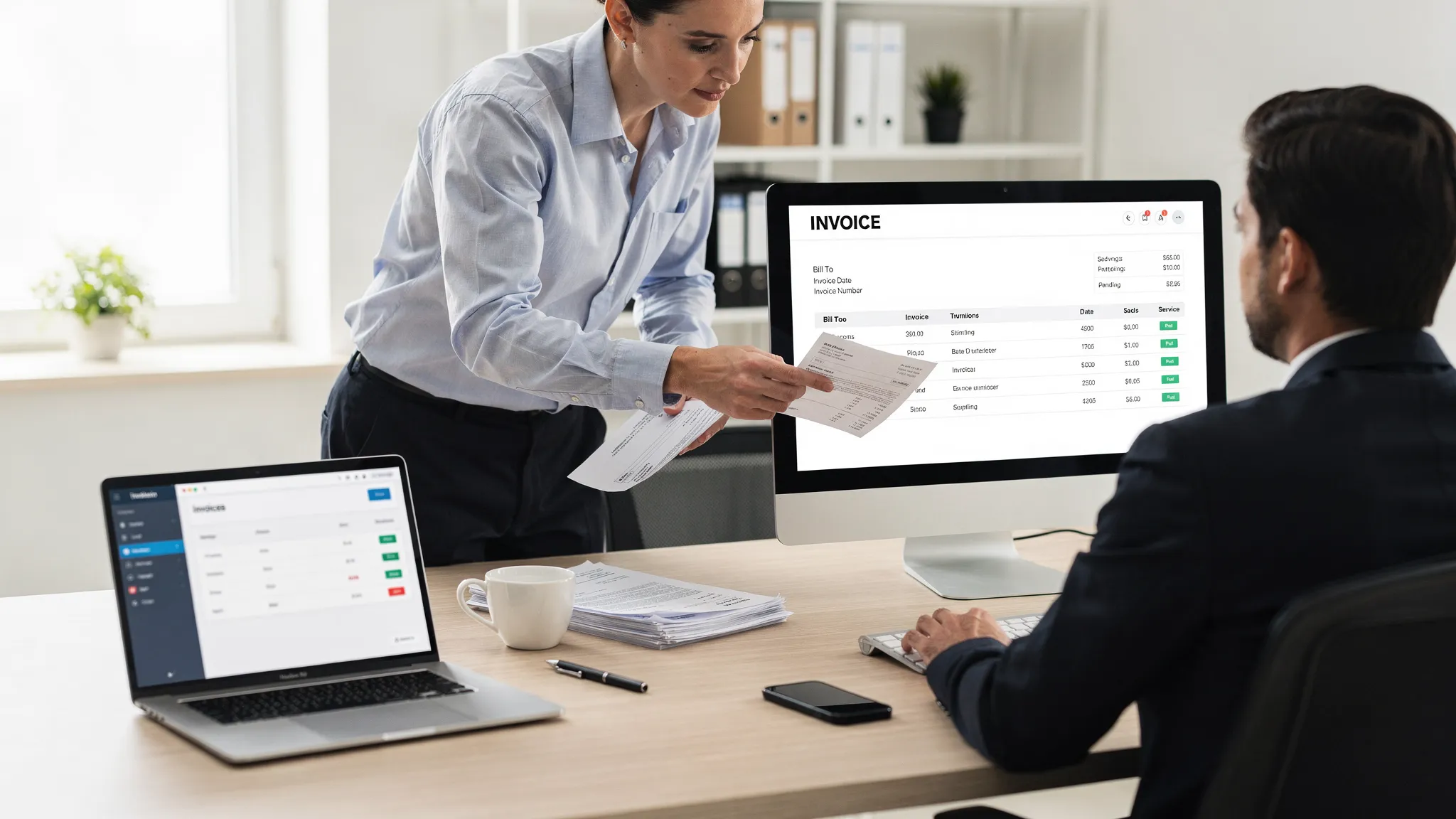
The term “e-invoice” is widely used in Hungary, but people don’t always mean the same thing by it. Some people use it to refer to a PDF sent via email, others to the NAV Online Invoice data reporting system, and still others to standard, machine-readable (structured) XML.
In practice, however, what matters is that the invoice is created electronically, transmitted and received electronically, and demonstrably meets the requirements for e-invoices (authenticity, integrity, and legibility). In this article, I’ll clarify the terminology and provide a few typical business examples to illustrate what this all means in day-to-day operations.
What is the definition of an e-invoice (electronic invoice)?
Simply put: an e-invoice is an invoice that is issued and received in electronic form.
"Digital-only" is not enough on its own. In practice, everything related to e-invoicing revolves around three requirements:
Authenticity of origin: it can be verified that the invoice was actually issued by the issuer.
Data integrity: it can be verified that the invoice data has not been altered.
Readability: The invoice can be viewed in a way that is understandable to humans throughout the retention period.
These requirements can be met in a variety of ways (for example, through digital signatures and time stamps, EDI, or auditable process controls). Regarding the EU framework, a good starting point is Directive 2014/55/EU, which establishes the EU e-invoicing standard (EN 16931); domestically, processes related to the National Tax and Customs Administration (NAV) are the determining factors (e.g., data reporting, technical connections).
Important: This article is intended as a practical guide and does not constitute legal or tax advice. If you are facing a dispute, you should consult an accountant or tax advisor.
What is not an e-invoice (or at least why is it risky to refer to it that way)?
The most common misconception: “I’m sending it as a PDF, so it’s an e-invoice.” A PDF can be an e-invoice, but not every PDF is one.
A scanned paper invoice: simply converting it into a digital image file does not typically make it an e-invoice. The document was originally on paper.
PDFs sent via email without security measures: simply sending a file electronically does not guarantee that its authenticity and integrity can be verified.
“Submitted to NAV = e-invoice”: NAV Online Invoice data reporting is a very important compliance requirement, but it does not determine the format in which the invoice is provided to the customer, the supporting documentation that accompanies it, or how it is stored.
The table below helps you quickly identify typical cases.
Case | What do you get from your partner? | Standard processing | Typical risk | When is it good practice? |
Paper invoice | Paper | Manual recording, filing | It takes time, it's slow, and it's difficult to automate | Small volume, exceptional process |
Scanned invoice | Image/PDF (scan) | OCR, manual verification | Quality, verifiability, exception handling | Transitional phase prior to digitization |
"Plain" PDF via email | Recording in the books, attachment management | Proof of delivery, version control, archiving | If the process is controlled and auditable | |
Structured e-invoice | XML (e.g., EN 16931), or a display device | Automatic import, validation | Validation errors, master data issues | High volume, automation, integration |
If you’re specifically interested in knowing when paper invoices are still acceptable and when they pose a risk, you should read Syneo’s article on the topic: Paper Invoices: When They’re Acceptable and When They’re Risky.
E-invoices in practice: formats you’ll actually encounter
For most companies today, “reality” is not a single format, but a hybrid model. The most common scenario is:
1) PDF-based electronic invoice
The advantage of PDF is that anyone can read it, and it’s easy to send. It works well when the delivery method (authenticity and integrity) is actually in place:
how the PDF is generated (from invoicing software, from an ERP system),
how it is delivered (channel, confirmation, log),
how it is preserved (archiving system, access control, retrievability).
Digital signatures and timestamps can provide additional security in certain situations, but they are not mandatory in all cases. For more on this, see a separate summary on Syneo focusing on 2026: Digital signatures on electronic invoices: will they be required in 2026?
2) Structured (machine-readable) e-invoice, typically in XML format
The goal here is not to make the invoice “look good,” but to ensure that the customer’s system can process it automatically. This approach is particularly important in B2G (government) and, increasingly, in B2B environments as well.
EN 16931 (semantic data model and rules) is the standard for e-invoicing in European public procurement. From a technical standpoint, what happens in practice is that XML:
generate from the billing/ERP system,
validate (schemas, required fields, business rules),
you share it with your partner (via integration or a platform or network instead of an email attachment),
and store it in such a way that its integrity can be verified.
If you want to understand XML fields and common validation errors from a developer’s perspective, Syneo’s technical article is a good resource: Electronic Invoice XML Format: Fields, Validation, EN 16931
What does this mean for a company’s day-to-day operations? (3 brief, real-life examples)
E-invoicing is not a “document project,” but rather a process and a responsibility. Let’s look at three typical operational levels.
Example 1: Service provider SME, low invoice number, sent via email
A service provider with 10 to 30 employees can typically see quick results not just by “sending out” e-invoices, but by streamlining the delivery and storage processes:
clearly specifies where the partner wants the invoice sent (invoice recipient's email address, AP mailbox),
handles bounce-back emails and changes (address changes, new contact person),
archives the data in such a way that it can be quickly retrieved even after 1–2 years (metadata, searchability).
Here is the practical answer to the question “What does an e-invoice mean?”: You don’t just generate a PDF; you also transmit and store it in a way that allows for auditing.
Example 2: A distributor or manufacturing company with a large volume of incoming invoices and automated accounting
It’s not worth handling large volumes manually, because the real cost isn’t the file itself, but the exceptions: missing order numbers, incorrect tax ID numbers, erroneous items, or mismatched VAT codes.
In such cases, the value of e-invoicing lies in the fact that, from incoming invoices:
automatically extracts the key fields,
validate them by checking the master data (partner, tax ID, item master),
match the total amount with the order or delivery note (using a 3-way match logic),
and the item is posted to the ERP system with the appropriate account assignment.
This is a classic "from e-invoice to general ledger" approach, which Syneo discusses in detail in its article: " Digitizing Accounting: Automation from E-Invoice to General Ledger"
Example 3: Structured e-invoice integration, handling validation errors
When you receive or send XML, "error correction" becomes part of your daily routine. In practice, this means that an e-invoice involves:
validation (XSD, business rules),
logging and status management,
retry logic,
and clear responsibilities for who handles what (master data, integration, billing setup).
A useful guide to common errors and quick fixes related to the NAV environment: NAV e-Invoicing: Common Errors and Quick Fixes for Businesses
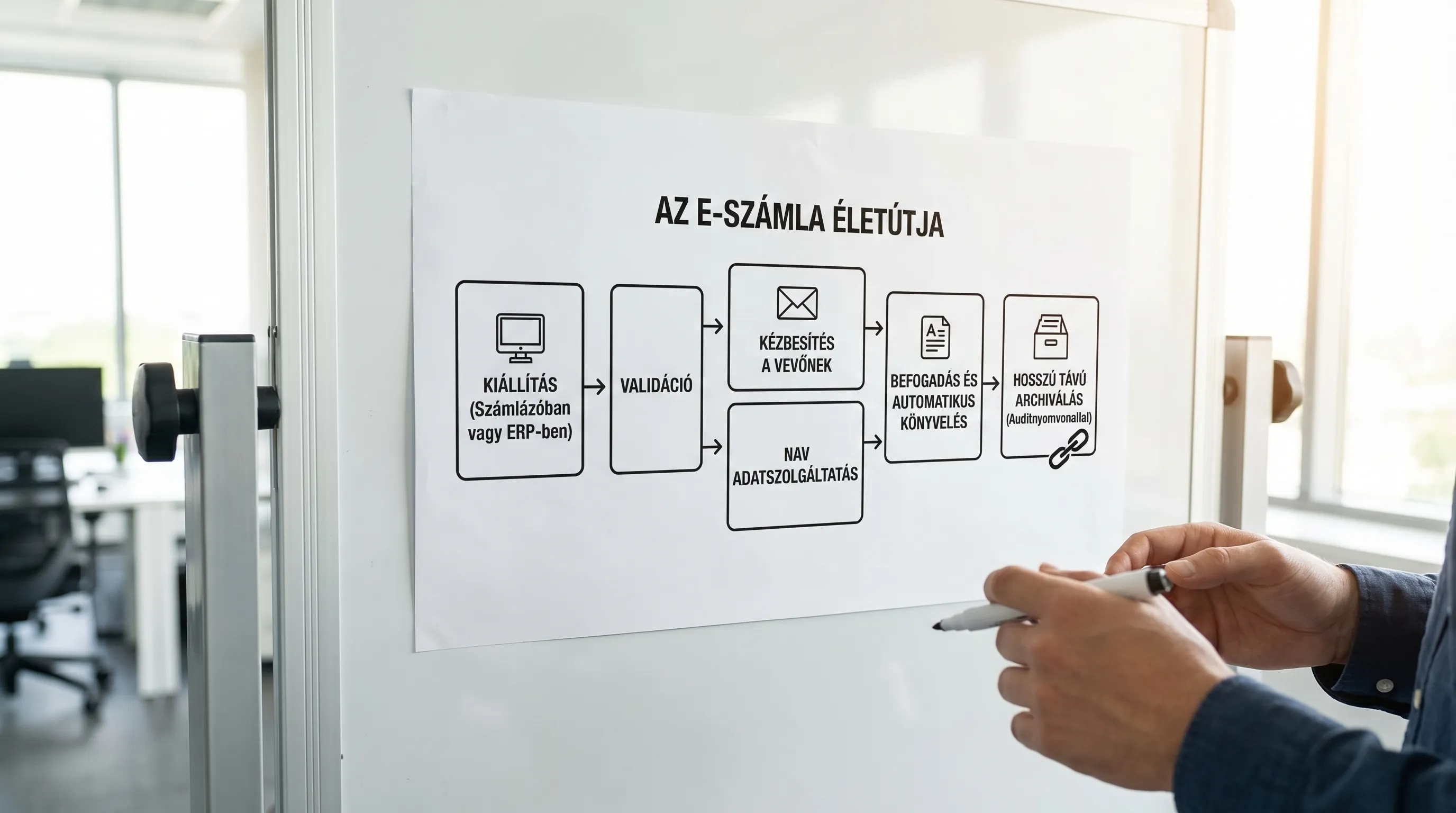
NAV Online Invoicing and E-Invoicing: How Do They Fit Into Everyday Life?
In Hungary, one of the central components of the invoicing process is the NAV Online Invoice environment (data reporting and related technical operations). In practice, companies need to keep two things in mind:
Data reporting compliance: technical connectivity, error handling, operations.
The e-invoice process for partners: transmission, supporting documents, retention, and access.
Together, these two provide a stable, auditable overview. Syneo provides a separate guide for NAV login, permissions, and common error codes: NAV e-invoice login: permissions, roles, error codes
If you're looking for official NAV documentation, the best place to start is the NAV Online Invoice portal.
Archiving: What does “I will retain the e-invoice” mean in practice?
Most disputes do not arise when the invoice is issued, but years later, when a receipt must be produced and it must be proven that:
the same document that you issued or received,
readable and understandable,
and no unauthorized changes were made.
In practice, archiving is considered "good" when you don't just store files, but manage them at the system level:
metadata (account number, partner, date, amount, channel),
access rights (who can view, who can export),
logs (when it was added, who accessed it),
retrieval (an audit package that can be generated in minutes).
Syneo has also published a related checklist focused on 2026: E-Invoice 2026: Checklist for Issuance and Archiving
Common pitfalls that make something "work on paper" but fail in practice
Most e-invoicing projects are a pain because teams realize too late that they involve integration, operations, access control, and change management all at once.
The most common types of errors:
Inconsistencies in master data (partner information, addresses, tax ID numbers, payment terms), which lead to validation errors and require manual follow-up work.
Lack of proof of delivery (it is unclear whether the buyer received it and which version is valid).
Misalignment of permissions (too many admins, shared accounts, no traceable accountability).
There are no operational metrics (how many invoices are flagged as exceptions, what the error rate is, what the turnaround time is).
Access and minimum security requirements are particularly important; for more details, see : E-invoice Login: Access Management and Minimum Security Requirements
Quick self-check: if there were an audit tomorrow, what could you show?
If you want to be able to confidently answer the question “What does an e-invoice mean?” within your own company, it’s worth going through these 8 questions:
Can you provide proof of delivery (channel, log, confirmation) in the event of a dispute?
Is it clear which system is the source of truth (invoicing, ERP, DMS, accounting)?
Is there a formalized error and exception handling process (who corrects the master data, and who corrects the integration)?
Have you measured the error rate and the processing time (from receipt to posting)?
Can you provide any invoice from the past two years and the corresponding audit trail within five minutes?
Do the billing and archiving systems use role-based access (and do they not have shared users)?
Do you have backup and restore procedures in place, and have you tested them yet (especially for cloud-based archiving)?
Do you know what file formats your biggest customers prefer (PDF vs. XML), and do you have a roadmap for this?
If your answer to several of these points is “more or less,” then you likely don’t have a shortage of tools, but rather gaps in your processes and accountability.
How can Syneo help if you don’t just want to “implement” it, but also run it smoothly?
E-invoicing typically runs into difficulties where multiple areas intersect: finance, IT, accounting, integration, and security. Syneo can provide meaningful assistance in this regard if the goal is not merely compliance, but operations that are measurably faster and require less manual work.
As a practical next step, it’s a good idea to start with a brief survey to clarify:
what types of invoice processes there are (outgoing, incoming, approval),
which systems are involved (ERP, invoicing, DMS, accounting),
where are the risk areas (archiving, access rights, integration, validation),
and it delivers tangible results in as little as 30 to 90 days.
If you’re interested in learning more about the implementation steps, here’s a helpful resource: How to Implement Electronic Invoicing: A Practical Guide for Beginners, as well as a summary of regulatory changes: E-Invoicing 2026: What Every Business Owner Needs to Know
The bottom line: in practice, e-invoicing isn’t a file format, but a proven, measurable, and secure process. If you get this right, you’ll reduce risk and increase automation potential at the same time.
